Win back lapsed clients before they find another sitter
Every Monday, WebRun opens Precise Petcare, identifies clients who have not booked a visit in 60 or more days, drafts a warm, personalised winback email for each one, and posts a summary of lapsed clients to Slack so your team can follow up by phone if needed.
- No credit card
- Under $0.01 per run
- Cancel anytime
What does WebRun do on every run?
The exact actions WebRun takes, in order - in plain language, so you can adjust anything.
-
WebRun signs in and gets to work
Opens
precisepetcare.comin a real browser with your saved login - no setup, no API keys. -
1
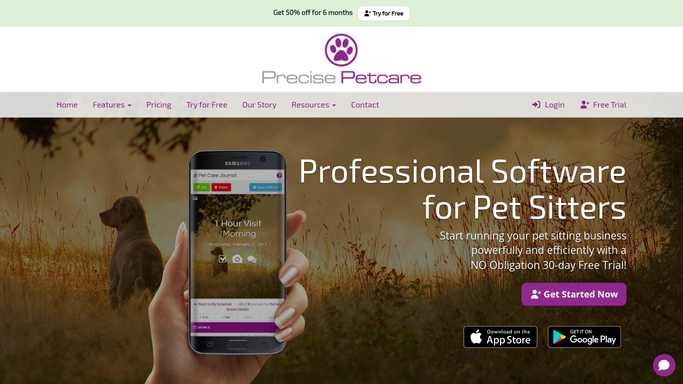
Precise Petcare - find clients inactive for 60 plus days
precisepetcare.com

WebRun opens Precise Petcare to find clients inactive for 60 plus days. - Open Precise Petcare and filter clients by last visit date
- Find all clients whose last completed visit was 60 or more days ago with no upcoming bookings
- Capture each client name, pet name, last visit date, and service history
Done when All lapsed clients are listed with their last visit date and pet details.
-
2
Gmail - draft personalised winback email
gmail.com How to Automate Gmail
WebRun opens Gmail to draft personalised winback email. - Draft a warm, non-intrusive winback email for each lapsed client, using their name and pet name
- Reference their last service to show you remember them
- Offer a gentle invitation to rebook and mention any seasonal availability
- Leave every draft unsent in Gmail for your review and approval
Done when A winback draft is ready in Gmail for every lapsed client.
-
3
Slack - post lapsed client summary for team
slack.com How to Automate Slack
WebRun opens Slack to post lapsed client summary for team. - Post a summary list of this week's lapsed clients to the team Slack channel
- Include each client name, pet name, and days since last visit
- Flag clients who have been lapsed for more than 90 days as high priority for a phone call
Done when Team has this week's winback priority list in Slack.


How do I automatically reach out to lapsed pet-sitting clients?
Every Monday, WebRun opens Precise Petcare and identifies clients who have not booked in 60 or more days. It drafts a warm, personalised winback email for each one and queues them in Gmail for your review, while posting a lapsed-client summary to Slack. You decide which messages to send and which clients to call instead.
- Lapsed clients are identified and outreach is drafted every week without manual searching
- Emails are personalised with the pet name and last service to feel human, not automated
- Team sees a Slack priority list so high-risk lapsed clients get a personal call
Built for pet sitters · dog walkers · pet sitting businesses · pet care team managers
How is each run configured?
Secure by default
Connect once, stays signed in
WebRun signs in once and keeps each session in a persistent environment, so every run picks up right where it left off.
Every action is checked against this policy before it runs.
Questions, answered
Will it email lapsed clients automatically without me reviewing the message?
No. Every winback email is drafted in Gmail and waits for your approval. Nothing is sent to a lapsed client until you review and send it yourself.
How does it define a lapsed client?
By default, it flags clients with no completed visit and no upcoming booking in the last 60 days. You can adjust this threshold when setting up the workflow.
What if a lapsed client has already rebooked by Monday?
WebRun reads live Precise Petcare data each run, so any client who has rebooked before the workflow runs will not appear on the winback list.
Related templates
Put this on autopilot.
Turn it on in minutes - or have our team set it up for you.