Draft a sealant and fluoride recall campaign for kids
Every Monday, WebRun opens Oryx Dental, finds children who are eligible for sealants or due for a fluoride application but have not received one, builds a target list in Google Sheets, and drafts a friendly, educational recall campaign in Mailchimp for your team to review and send.
- No credit card
- Under $0.01 per run
- Cancel anytime
What does WebRun do on every run?
The exact actions WebRun takes, in order - in plain language, so you can adjust anything.
-
WebRun signs in and gets to work
Opens
portal.oryxdental.comin a real browser with your saved login - no setup, no API keys. -
1
Oryx Dental - find children due for sealants or fluoride
oryxdental.com How to Automate Oryx Dental

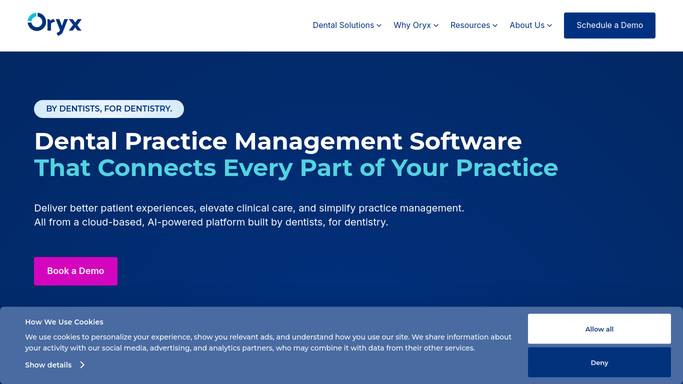
WebRun opens Oryx Dental to find children due for sealants or fluoride. - Open Oryx Dental and use the pediatric charting to find children with sealant-eligible molars not yet sealed
- Add children whose last fluoride application is overdue based on their recall interval
- Capture the child's first name, guardian contact, and the specific preventive service missing
- Exclude children with the service already planned at an upcoming visit
Done when Every child due for sealants or fluoride is listed with the missing service and guardian contact.
-
2
Google Sheets - build the preventive target list
google.com How to Automate Google Sheets
WebRun opens Google Sheets to build the preventive target list. - Open the preventive recall spreadsheet in Google Sheets
- Add a row per child with guardian contact, the missing service, and last visit date
- Segment sealant candidates and fluoride-due children into clear groups
- Sort so children overdue the longest surface first
Done when The preventive target list is current and grouped by service type.
-
3
Mailchimp - draft the educational recall campaign
mailchimp.com How to Automate Mailchimp
WebRun opens Mailchimp to draft the educational recall campaign. - Draft a warm, educational email explaining the benefit of sealants and fluoride for children
- Create separate draft segments for sealant candidates and fluoride-due families
- Save the campaign as a draft in Mailchimp. Do not send it to families automatically
- Note each segment's recipient count for your team to review before sending
Done when An educational recall campaign is drafted in Mailchimp, unsent, awaiting review.


How do I automatically run a sealant and fluoride recall campaign?
WebRun checks Oryx Dental every Monday for children with sealant-eligible molars not yet sealed or an overdue fluoride application. It builds a grouped target list in Google Sheets, then drafts a friendly educational campaign in Mailchimp segmented by service, so your team reviews and sends outreach that closes preventive-care gaps.
- Sealant and fluoride gaps get closed instead of going unnoticed
- The team reviews a segmented campaign rather than building the list by hand
- Children already scheduled for the service are excluded automatically
Built for pediatric dentists · dental hygienists · pediatric practice managers · childrens dental clinics
How is each run configured?
Secure by default
Connect once, stays signed in
WebRun signs in once and keeps each session in a persistent environment, so every run picks up right where it left off.
Every action is checked against this policy before it runs.
Questions, answered
Will it email families the campaign automatically?
No. The Mailchimp campaign is saved as a draft with the audience segmented, and your team reviews the message and recipient list before sending. No recall email reaches a family without your approval.
How does it decide who is due for sealants?
It reads the pediatric charting in Oryx Dental to find children with sealant-eligible molars that are not yet sealed, and adds children whose fluoride application is overdue for their recall interval.
Does it skip children already scheduled for the service?
Yes. Any child with the sealant or fluoride service already planned at an upcoming visit is excluded from the list, so families are only contacted about genuinely missing preventive care.
Related templates
Put this on autopilot.
Turn it on in minutes - or have our team set it up for you.