Draft post-op home-care instructions for each parent
Every evening, WebRun opens Oryx Dental, reviews the procedures completed that day, drafts a patient-specific home-care report for each child's parent in Gmail using the practice's aftercare guidance, and queues a short next-day check-in text in Twilio for your clinical team to review before anything sends.
- No credit card
- Under $0.01 per run
- Cancel anytime
What does WebRun do on every run?
The exact actions WebRun takes, in order - in plain language, so you can adjust anything.
-
WebRun signs in and gets to work
Opens
portal.oryxdental.comin a real browser with your saved login - no setup, no API keys. -
1
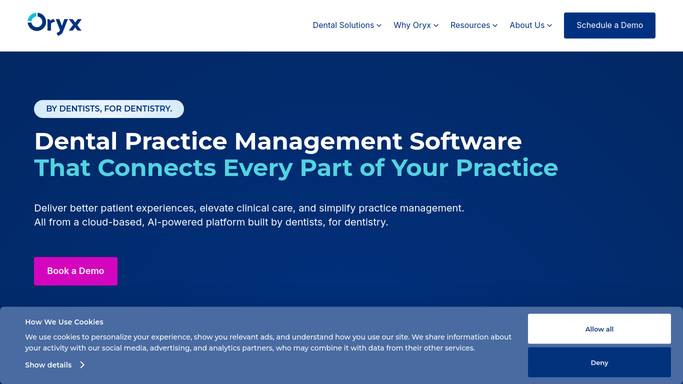
Oryx Dental - review today's completed treatments
oryxdental.com How to Automate Oryx Dental

WebRun opens Oryx Dental to review today's completed treatments. - Open Oryx Dental and list children whose treatment was completed today
- Read the specific procedure done, tooth or area treated, and any anesthetic or sedation used
- Pull the matching post-op aftercare guidance the practice uses for that procedure
- Note the parent contact and the child's first name on each record
Done when Every child treated today has their procedure and matching aftercare guidance gathered.
-
2
Gmail - draft each child's home-care report
gmail.com How to Automate Gmail
WebRun opens Gmail to draft each child's home-care report. - Draft a patient-specific home-care report for each parent in plain, reassuring language
- Include what was done, what to expect tonight, foods to avoid, and when to call the practice
- Address it to the parent on file and refer to the child by first name only
- Save each report as an unsent Gmail draft. Do not send any parent message automatically
Done when A home-care report is drafted, unsent, for every child treated today.
-
3
Twilio - queue a next-day check-in text
twilio.com How to Automate Twilio
WebRun opens Twilio to queue a next-day check-in text. - Draft a short, caring next-day check-in text asking how the child is feeling
- Keep it brief and free of clinical detail, pointing parents to call if worried
- Save every text as a draft in Twilio. Do not send any parent message automatically
- List the drafts so the clinical team can review and release them
Done when A next-day check-in text is drafted and queued for approval for every treated child.


How do I automatically draft post-op home-care instructions for parents?
WebRun reviews the day's completed pediatric treatments in Oryx Dental each evening and drafts a patient-specific home-care report for each parent in Gmail, using the aftercare guidance tied to that procedure. It also queues a caring next-day check-in text in Twilio, and every message waits for your clinical team to approve before it sends.
- Parents get clear aftercare tied to the exact procedure their child had
- The clinical team reviews ready reports instead of writing each one
- No aftercare message reaches a parent without clinical approval
Built for pediatric dentists · dental assistants · pediatric clinical teams · childrens dental clinics
How is each run configured?
Secure by default
Connect once, stays signed in
WebRun signs in once and keeps each session in a persistent environment, so every run picks up right where it left off.
Every action is checked against this policy before it runs.
Questions, answered
Will it send home-care instructions to parents on its own?
No. Every report and check-in text is saved as a draft in Gmail or Twilio and waits for your clinical team to review, adjust, and send. No protected health information reaches a parent without clinical approval.
How does it get the right aftercare for each procedure?
It reads the specific procedure recorded in Oryx Dental for that child and pulls the matching aftercare guidance your practice uses, so each parent receives instructions tied to the treatment actually performed.
Does the report include clinical detail parents might not understand?
It is written in plain, reassuring language covering what was done, what to expect, and when to call. Detailed clinical records stay in Oryx Dental for the provider's reference.
Related templates
Put this on autopilot.
Turn it on in minutes - or have our team set it up for you.