Verify Medicaid eligibility before every child's visit
Every morning, WebRun opens Oryx Dental, lists children with visits in the next few days, checks each one's Medicaid plan and eligibility, records active or lapsed status in Google Sheets, and posts your billing team an internal Slack summary of any child whose coverage needs attention before the visit.
- No credit card
- Under $0.01 per run
- Cancel anytime
What does WebRun do on every run?
The exact actions WebRun takes, in order - in plain language, so you can adjust anything.
-
WebRun signs in and gets to work
Opens
portal.oryxdental.comin a real browser with your saved login - no setup, no API keys. -
1
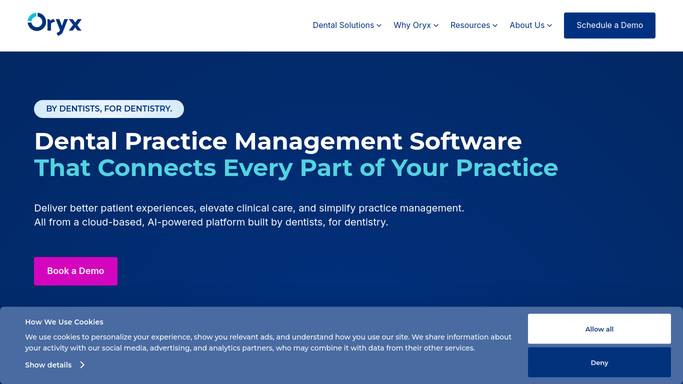
Oryx Dental - list upcoming visits and Medicaid plans
oryxdental.com How to Automate Oryx Dental

WebRun opens Oryx Dental to list upcoming visits and Medicaid plans. - Open Oryx Dental and list children scheduled in the next three business days
- Read each child's Medicaid plan, member ID, and guardian of record
- Note the last verified eligibility date on each chart
- Prioritize children whose coverage has not been checked recently
Done when Every upcoming child visit has its Medicaid plan and last-verified date gathered.
-
2
Google Sheets - log each child's eligibility status
google.com How to Automate Google Sheets
WebRun opens Google Sheets to log each child's eligibility status. - Open the eligibility tracking spreadsheet in Google Sheets
- Record each child's plan, member ID, and current active or lapsed status with today's date
- Highlight any child whose coverage is inactive, changed, or unverifiable
- Keep the child referenced by first name and internal ID, not full identifiers, in the shared sheet
Done when The eligibility sheet shows a dated active or lapsed result for every upcoming child.
-
3
Slack - flag coverage that needs attention
slack.com How to Automate Slack
WebRun opens Slack to flag coverage that needs attention. - Post an internal summary to the billing team's Slack channel of children whose coverage needs attention
- List each flagged child by first name and appointment date, without sharing full protected identifiers
- Call out lapsed or changed plans first so the team can contact the guardian before the visit
Done when The billing team has an internal Slack heads-up on every child with a coverage issue.


How do I automatically verify Medicaid eligibility before pediatric visits?
WebRun opens Oryx Dental each morning, lists children with visits in the next few days, and checks each one's Medicaid plan and eligibility. It logs an active or lapsed result in Google Sheets and posts your billing team an internal Slack summary of any coverage that needs attention, so no child arrives with an unresolved plan.
- Coverage lapses are caught days before the visit, not at check-in
- Every upcoming child has a dated eligibility result on record
- No patient identifiers are shared outside the practice
Built for pediatric dental billers · dental office managers · Medicaid dental practices · childrens dental clinics
How is each run configured?
Secure by default
Connect once, stays signed in
WebRun signs in once and keeps each session in a persistent environment, so every run picks up right where it left off.
Every action is checked against this policy before it runs.
Questions, answered
Does it contact families or payers on its own?
No. WebRun only checks coverage and posts an internal Slack summary for your billing team. It never messages a guardian or files anything with a payer. Your team decides how to follow up on any lapse before the visit.
Is patient information kept safe?
Yes. The internal digest references each child by first name and appointment date only and avoids sharing full protected identifiers in Slack. No patient information leaves your practice to an outside recipient.
What if a child's coverage lapsed?
Any lapsed, changed, or unverifiable coverage is highlighted in the sheet and listed first in the Slack summary, so your team can reach the guardian to update the plan before the child arrives.
Related templates
Put this on autopilot.
Turn it on in minutes - or have our team set it up for you.