Get a clear weekly revenue report every Monday morning
Every Monday morning, WebRun opens Bravo Store Systems, pulls the prior week's revenue across retail sales, pawn loan interest, buy-outs, and layaway payments, logs a structured breakdown to Google Sheets, and posts a formatted weekly summary to Slack so owners and managers start the week with a clear financial picture.
- No credit card
- Under $0.01 per run
- Cancel anytime
What does WebRun do on every run?
The exact actions WebRun takes, in order - in plain language, so you can adjust anything.
-
WebRun signs in and gets to work
Opens
www.bravostoresystems.comin a real browser with your saved login - no setup, no API keys. -
1
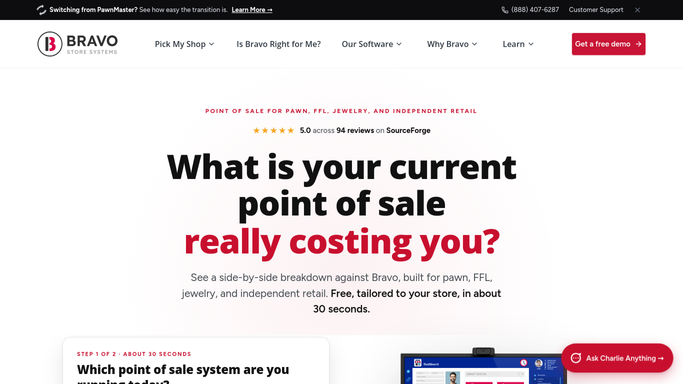
Bravo Store Systems - pull prior-week revenue by category
bravostoresystems.com How to Automate Bravo Store Systems

WebRun opens Bravo Store Systems to pull prior-week revenue by category. - Open Bravo Store Systems and navigate to the weekly revenue reporting section
- Capture total revenue by category: retail sales, pawn loan interest collected, buy-out purchases, layaway payments received, and fees
- Note total transactions processed, average transaction value, and any category with a week-over-week change of more than 10 percent
Done when Last week's full revenue breakdown is captured with all major category totals.
-
2
Google Sheets - log the weekly breakdown
google.com How to Automate Google Sheets
WebRun opens Google Sheets to log the weekly breakdown. - Open the weekly revenue Google Sheet and append a new row for last week's date range
- Enter each category total and the grand total into the correct columns
- Update the rolling four-week and 13-week averages at the top of the sheet
Done when Last week's revenue is logged and the rolling averages are updated in the sheet.
-
3
Slack - post the revenue summary to staff
slack.com How to Automate Slack
WebRun opens Slack to post the revenue summary to staff. - Post a formatted weekly revenue summary to the owner and manager Slack channel
- Show each category total, the grand total, and the week-over-week change for each line
- Highlight any category that is more than 10 percent above or below the four-week average
- Include a link to the Google Sheet for the full historical view
Done when Owners and managers have last week's revenue breakdown in Slack with variance highlights.


How do I get an automatic weekly revenue report for my pawn shop?
WebRun opens Bravo Store Systems every Monday morning and pulls last week's revenue broken down by retail sales, pawn loan interest, buy-outs, layaway, and fees. It logs the breakdown to Google Sheets and posts a formatted Slack summary with week-over-week comparisons and variance flags, so owners start every week fully briefed.
- Owners start every Monday with a complete revenue breakdown from the prior week
- Revenue history builds automatically in Google Sheets for trend analysis
- Unusual category variances are flagged the same morning, not noticed days later
Built for pawn shop owners · pawn shop managers · multi-location pawn operators
How is each run configured?
Secure by default
Connect once, stays signed in
WebRun signs in once and keeps each session in a persistent environment, so every run picks up right where it left off.
Every action is checked against this policy before it runs.
Questions, answered
Does this report include customer personal data?
No. The weekly revenue report covers aggregate financial totals only: sales, interest, buy-outs, layaway, and fees. No customer names, loan details, or collateral descriptions are included in the report.
Can I see revenue broken down by store location?
Yes. If your Bravo Store Systems account covers multiple locations, WebRun can pull revenue totals per location and include a per-store breakdown in both the Google Sheet and the Slack summary.
How far back does the Google Sheet history go?
The sheet accumulates a row every week for as long as the workflow runs. You can also seed it with historical data from Bravo Store Systems at setup time so the rolling averages start from a meaningful baseline.
Related templates
Put this on autopilot.
Turn it on in minutes - or have our team set it up for you.