Recover no-show oral surgery appointments before the slot goes to waste
Every morning, WebRun opens DSN Software, pulls every appointment marked no-show from the prior day, drafts a re-booking message in Gmail for each patient for your team to review and send, and posts a recovery worklist to Slack so nothing slips through.
- No credit card
- Under $0.01 per run
- Cancel anytime
What does WebRun do on every run?
The exact actions WebRun takes, in order - in plain language, so you can adjust anything.
-
WebRun signs in and gets to work
Opens
www.dsn.comin a real browser with your saved login - no setup, no API keys. -
1
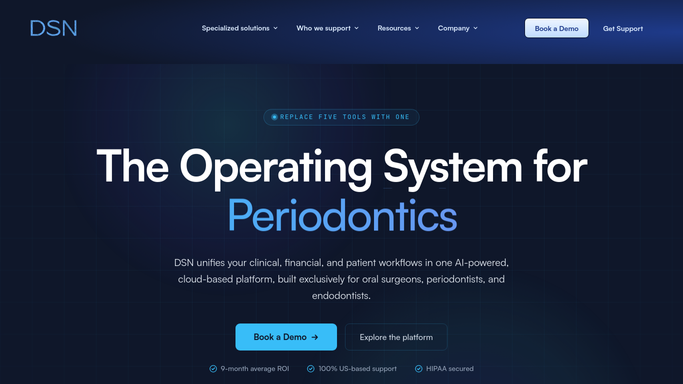
DSN Software - pull no-show appointments
dsn.com How to Automate DSN Software

WebRun opens DSN Software to pull no-show appointments. - Open DSN Software and navigate to the scheduling module
- Filter yesterday's appointments by status No-Show
- Capture patient name, procedure type, and original appointment time for each
Done when Every no-show appointment from the prior day is listed with patient details and procedure type.
-
2
Gmail - draft re-booking messages for review
gmail.com How to Automate Gmail
WebRun opens Gmail to draft re-booking messages for review. - Draft a short, friendly re-booking message for each no-show patient
- Include the patient name, missed procedure, and a prompt to call or reply to reschedule
- Leave every draft unsent for a team member to review and approve before sending - never auto-send patient messages
Done when A draft re-booking message exists in Gmail for every no-show patient, ready for staff review.
-
3
Slack - post recovery worklist to front desk
slack.com How to Automate Slack
WebRun opens Slack to post recovery worklist to front desk. - Post a summary list of all no-show patients to the front-desk Slack channel
- Include procedure type and days since last appointment for priority context
- Flag any high-value procedures (implants, surgical placements) at the top of the list
Done when Front desk has today's no-show recovery list pinned in Slack.


How can I automatically follow up with oral surgery no-show patients?
WebRun checks DSN Software every morning for oral surgery no-shows from the prior day, drafts a re-booking message in Gmail for each patient for staff to review and approve, and posts a prioritized recovery list to Slack. High-value procedures like implants are flagged first, so your front desk recovers the most important slots without manual hunting.
- No-show slots are identified and actioned by 8 AM without manual chart review
- Implant and surgical appointments are flagged for priority re-booking
- Zero patient messages sent without staff approval
Built for oral surgery practices · oral and maxillofacial surgeons · dental surgery front desk teams
How is each run configured?
Secure by default
Connect once, stays signed in
WebRun signs in once and keeps each session in a persistent environment, so every run picks up right where it left off.
Every action is checked against this policy before it runs.
Questions, answered
Will it contact patients automatically?
No. WebRun drafts each re-booking message in Gmail and leaves it unsent. A staff member reviews and approves every message before it reaches a patient - no PHI leaves the practice without human sign-off.
How does it decide which no-shows to prioritize?
It flags high-value procedures such as implant placements and surgical consultations at the top of the Slack list, so your front desk focuses on the appointments most worth recovering first.
What if the patient already rescheduled on their own?
WebRun reads the live appointment status in DSN Software each morning, so any patient who has already rebooked will not appear on the recovery list.
Related templates
Put this on autopilot.
Turn it on in minutes - or have our team set it up for you.