Keep clients showing up to every session
Each morning, WebRun opens Healthie, finds every nutrition appointment scheduled for the next 48 hours, drafts a personalised reminder for each client, and queues the messages in Gmail for your review before sending.
- No credit card
- Under $0.01 per run
- Cancel anytime
What does WebRun do on every run?
The exact actions WebRun takes, in order - in plain language, so you can adjust anything.
-
WebRun signs in and gets to work
Opens
secure.gethealthie.comin a real browser with your saved login - no setup, no API keys. -
1
Healthie - pull upcoming appointments
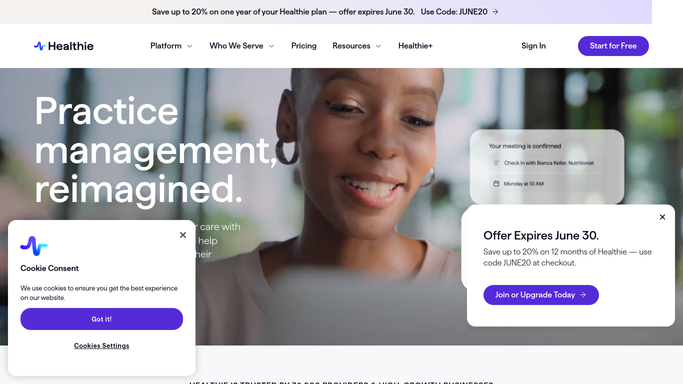
gethealthie.com How to Automate Healthie

WebRun opens Healthie to pull upcoming appointments. - Open Healthie and navigate to the Appointments calendar
- Filter to sessions scheduled in the next 48 hours
- Capture client name, appointment time, session type, and contact email for each
Done when Every upcoming appointment in the next 48 hours is listed with client details.
-
2
Google Calendar - confirm appointment details
calendar.google.com How to Automate Google Calendar
WebRun opens Google Calendar to confirm appointment details. - Cross-reference each appointment against Google Calendar to confirm no conflicts or reschedules
- Note any appointment that has been moved or cancelled since Healthie was last synced
Done when All appointment times are confirmed against the live calendar.
-
3
Gmail - draft client reminders for review
gmail.com How to Automate Gmail
WebRun opens Gmail to draft client reminders for review. - Draft a warm, personalised reminder for each client including date, time, and session format
- Include a short preparation note relevant to the session type (e.g. bring a 3-day food log)
- Save every draft to Gmail's Drafts folder, unsent, for your review
Done when One draft reminder per upcoming client sits in Gmail ready for your approval.


How do I automatically send appointment reminders to nutrition clients?
WebRun opens Healthie each morning, finds every nutrition appointment in the next 48 hours, and drafts a personalised reminder for each client in Gmail. Drafts sit unsent until you approve them, so no-show rates drop with zero manual effort and nothing reaches a client without your sign-off.
- Clients receive timely, personalised reminders without any manual drafting
- No-show rates drop as clients arrive prepared for every session
- You approve every message before it leaves your inbox
Built for registered dietitians · nutrition coaches · private nutrition practices · group nutrition clinics
How is each run configured?
Secure by default
Connect once, stays signed in
WebRun signs in once and keeps each session in a persistent environment, so every run picks up right where it left off.
Every action is checked against this policy before it runs.
Questions, answered
Will it send reminders automatically without my approval?
No. Every reminder is drafted in Gmail and left unsent for your review. Nothing goes to a client until you approve and send it yourself.
Can it include specific prep instructions for different session types?
Yes. Tell WebRun which session types need which prep note (e.g. initial consults ask for a 3-day food log) and it will include the right instructions in each draft.
What happens if a client reschedules after the draft is created?
WebRun cross-references Google Calendar on every run, so rescheduled or cancelled appointments are flagged and their drafts are skipped or updated accordingly.
Related templates
Put this on autopilot.
Turn it on in minutes - or have our team set it up for you.