Follow up on notary quotes before leads go cold
Every morning, WebRun checks NotaryDash and your Google Sheet for quote requests that have not converted or received a reply within 48 hours, drafts a brief follow-up email to each lead for your review, and marks the outreach in your lead log.
- No credit card
- Under $0.01 per run
- Cancel anytime
What does WebRun do on every run?
The exact actions WebRun takes, in order - in plain language, so you can adjust anything.
-
WebRun signs in and gets to work
Opens
notarydash.comin a real browser with your saved login - no setup, no API keys. -
1
NotaryDash - find unanswered quote requests
notarydash.com How to Automate NotaryDash

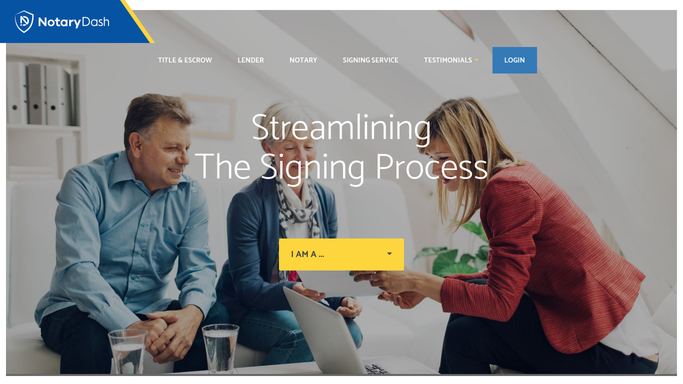
WebRun opens NotaryDash to find unanswered quote requests. - Open NotaryDash and review the quote request or inquiry queue
- Identify requests submitted more than 48 hours ago with no confirmed booking
- Capture the contact name, email, requested service, and date of enquiry
Done when All unanswered quote requests older than 48 hours are listed with contact details.
-
2
Gmail - draft follow-up to each lead
gmail.com How to Automate Gmail
WebRun opens Gmail to draft follow-up to each lead. - Draft a short, friendly follow-up email for each unanswered lead
- Reference the service they enquired about and offer a direct way to book or ask questions
- Leave every draft unsent for your review before it goes to the prospect
Done when A follow-up draft is ready in Gmail for every unanswered quote request.
-
3
Google Sheets - update lead follow-up log
google.com How to Automate Google Sheets
WebRun opens Google Sheets to update lead follow-up log. - Open the lead follow-up log sheet
- Update each lead row with today's date and status set to Follow-Up Drafted
- Flag any lead that has been in the queue longer than 5 days for personal outreach
Done when The lead log reflects the follow-up status for every quote request processed today.


How do I automatically follow up on notary quote requests that have not converted?
WebRun checks NotaryDash every morning for quote requests that have not converted or received a reply within 48 hours, drafts a brief follow-up email to each lead in Gmail for your review, and updates your lead log in Google Sheets. No email is sent until you approve it, and already-booked leads are skipped from the live status.
- No quote request sits unanswered for more than 48 hours
- Warm leads get a timely, professional follow-up without manual effort
- Your lead log stays current so you always know the pipeline status
Built for notary signing agencies · mobile notary businesses · independent notary professionals · loan signing agents growing their client base
How is each run configured?
Secure by default
Connect once, stays signed in
WebRun signs in once and keeps each session in a persistent environment, so every run picks up right where it left off.
Every action is checked against this policy before it runs.
Questions, answered
Will it send the follow-up emails to leads automatically?
No. Every follow-up is drafted in Gmail and held for your review. You decide what goes to a prospect, so no message is sent without your approval.
How long does it wait before flagging a lead as unanswered?
The default window is 48 hours. You can adjust this when you set up the workflow to match your sales cycle or the urgency typical in your market.
What if a lead already booked or replied after the quote was sent?
WebRun checks the status in NotaryDash and your lead log each morning. Leads already converted or marked contacted are skipped automatically.
Related templates
Put this on autopilot.
Turn it on in minutes - or have our team set it up for you.