Get your daily Newegg order and inventory digest
Every morning, WebRun opens the Newegg Seller Portal, checks new orders, low-stock SKUs, and shipments past their ship-by date, posts a digest to Microsoft Teams, and creates a Trello restock card for every SKU below its threshold so nothing runs out unnoticed.
- No credit card
- Under $0.01 per run
- Cancel anytime
How do I get a daily digest of my Newegg orders and inventory?
WebRun checks the Newegg Seller Portal every morning for new orders, low-stock SKUs, and shipments past their ship-by date, posts a digest to Microsoft Teams, and creates a Trello restock card for each SKU below its threshold. This keeps fulfillment and restocking visible without a manual portal check.
- Low-stock SKUs get a restock card before they hit zero
- Fulfillment team opens Teams to a ready digest every morning
- Overdue shipments get flagged instead of missed
Built for Newegg marketplace sellers · electronics ecommerce teams · fulfillment coordinators · inventory managers
What does WebRun do on every run?
The exact actions WebRun takes, in order - in plain language, so you can adjust anything.
-
WebRun signs in and gets to work
Opens
newegg.comin a real browser with your saved login - no setup, no API keys. -
1
Newegg - check marketplace orders and inventory
newegg.com
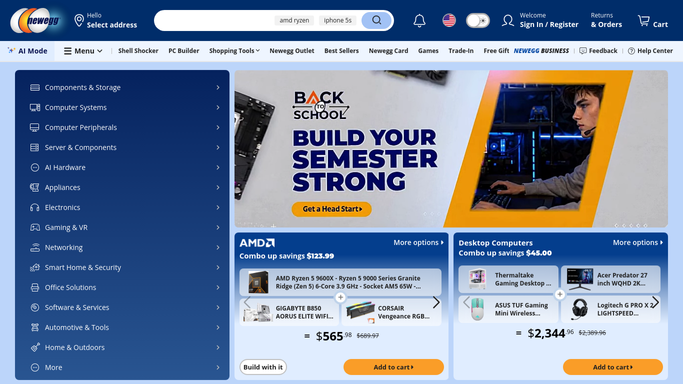
WebRun opens Newegg to check marketplace orders and inventory. - Open Newegg Seller Portal and go to Orders and Inventory
- Capture new orders and any SKU below its restock threshold
- Note order counts awaiting shipment past their ship-by date
Done when New orders, low-stock SKUs, and any overdue shipments are all captured.
-
2
Microsoft Teams - post the daily digest
microsoft.com How to Automate Microsoft Teams

WebRun opens Microsoft Teams to post the daily digest. - Post a summary to the fulfillment Teams channel
- List new order counts, low-stock SKUs, and any orders past their ship-by date
- Sort the low-stock list soonest-to-sell-out first
Done when The fulfillment team has today's order and inventory digest in Teams.
-
3
Trello - create restock cards
trello.com How to Automate Trello

WebRun opens Trello to create restock cards. - Create a Trello card for each SKU below its restock threshold
- Add the current quantity and estimated days of stock remaining
- Move any card for a SKU already at zero to the top of the list
Done when Every low-stock SKU has a restock card on the board.
How is each run configured?
Secure by default
Connect once, stays signed in
WebRun signs in once and keeps each session in a persistent environment, so every run picks up right where it left off.
Every action is checked against this policy before it runs.
Questions, answered
Will it reorder inventory or ship orders automatically?
No. WebRun only reads orders and inventory levels and reports them. Placing a restock order and shipping product stays a human action in the Newegg Seller Portal.
What counts as past its ship-by date?
Any order where the ship-by date on the order shown in Newegg has already passed, since a late shipment can affect seller performance metrics.
Does a restock card disappear once inventory is topped up?
Yes. It only creates a new card for SKUs still below threshold at each check, so a SKU restocked since the last run will not get a duplicate card.
Related templates
Put this on autopilot.
Turn it on in minutes - or have our team set it up for you.