Give every teacher a clean daily schedule before they walk in
Each morning, WebRun opens My Music Staff, reads every teacher's lessons for the day, and posts each teacher a personalised Slack message listing their students, times, rooms, and any notes, so they start the day informed without checking the calendar themselves.
- No credit card
- Under $0.01 per run
- Cancel anytime
What does WebRun do on every run?
The exact actions WebRun takes, in order - in plain language, so you can adjust anything.
-
WebRun signs in and gets to work
Opens
www.mymusicstaff.com/Loginin a real browser with your saved login - no setup, no API keys. -
1
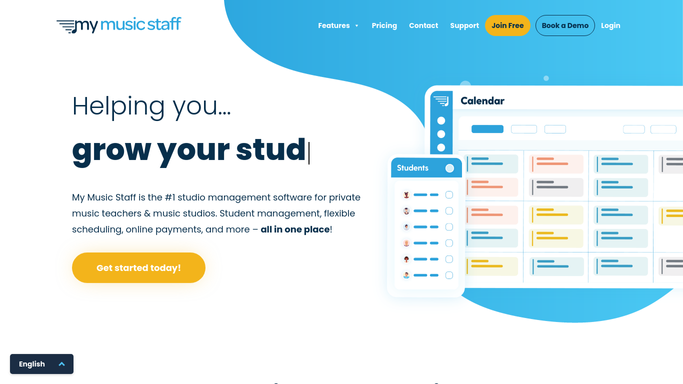
My Music Staff - read each teacher's lessons for today
mymusicstaff.com How to Automate My Music Staff

WebRun opens My Music Staff to read each teacher's lessons for today. - Open My Music Staff and navigate to the Calendar for today
- Group lessons by teacher and collect the time, student name, room or location, and any lesson notes
- Flag any cancellations or last-minute changes logged since yesterday
Done when Every teacher's full lesson list for today is collected with times, students, and notes.
-
2
Slack - post a personalised schedule digest to each teacher
slack.com How to Automate Slack
WebRun opens Slack to post a personalised schedule digest to each teacher. - Post a direct Slack message to each teacher with their personalised schedule for the day
- List lessons in chronological order with student name, time, and room
- Highlight any cancellations or changes at the top of the message
Done when Every teacher has received their day's schedule in Slack before their first lesson.

How can I automatically send teachers their daily lesson schedule each morning?
Every morning, WebRun reads each teacher's daily lesson schedule from My Music Staff and posts a personalised Slack digest listing their students, times, rooms, and any flagged changes. Teachers start the day informed without logging into the studio system, and the admin team gains confidence that no one walks in unprepared.
- Every teacher starts the day knowing exactly who they are teaching and when
- Cancellations and room changes are flagged before the first lesson
- Admin teams stop fielding "what's my schedule today?" messages
Built for music studio owners · music school administrators · multi-teacher music studios
How is each run configured?
Secure by default
Connect once, stays signed in
WebRun signs in once and keeps each session in a persistent environment, so every run picks up right where it left off.
Every action is checked against this policy before it runs.
Questions, answered
Does each teacher only see their own students?
Yes. WebRun sends each teacher a private Slack direct message containing only their own lessons for the day. No teacher sees another teacher's schedule.
What if a lesson is cancelled after the digest is sent?
WebRun runs every morning before the first lesson. For same-day cancellations logged after the digest, a simple re-run or a manual Slack note from the admin covers the gap.
Does it work if teachers have different start times?
Yes. It collects the full day's schedule for each teacher regardless of their start time and sends the digest first thing so everyone is ready.
Related templates
Put this on autopilot.
Turn it on in minutes - or have our team set it up for you.