Keep parents in the loop with weekly progress updates from teachers
Every Monday, WebRun opens My Music Staff, reads the lesson notes logged by teachers in the past week, drafts a warm progress update email for each student's family in Gmail, and posts the batch to Slack for teacher or admin review before any message is sent to parents.
- No credit card
- Under $0.01 per run
- Cancel anytime
What does WebRun do on every run?
The exact actions WebRun takes, in order - in plain language, so you can adjust anything.
-
WebRun signs in and gets to work
Opens
www.mymusicstaff.com/Loginin a real browser with your saved login - no setup, no API keys. -
1
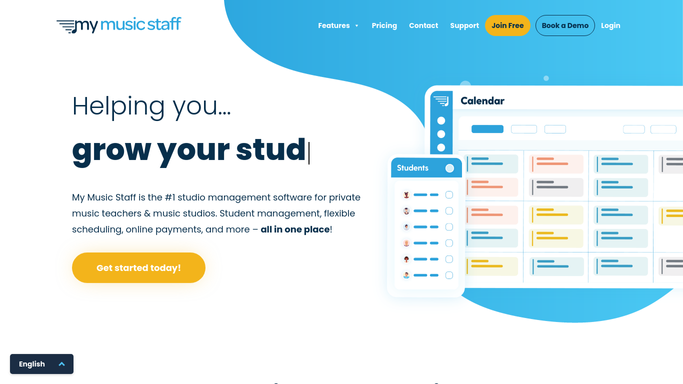
My Music Staff - read last week's lesson notes for each student
mymusicstaff.com How to Automate My Music Staff

WebRun opens My Music Staff to read last week's lesson notes for each student. - Open My Music Staff and navigate to the lesson notes or attendance section
- Collect all notes logged by teachers in the past 7 days, grouped by student
- Note the student name, teacher, instrument, skills practised, and any specific home practice instructions
Done when All last week's lesson notes are collected and grouped by student.
-
2
Gmail - draft a progress update email for each family
gmail.com How to Automate Gmail
WebRun opens Gmail to draft a progress update email for each family. - Draft a friendly, personalised progress update for each family summarising the week's focus, progress highlights, and home practice tips
- Address the email to the parent or guardian, naming the student and teacher
- Save each email as a Gmail draft without sending
Done when A progress update draft exists in Gmail for every student who had a lesson this week.
-
3
Slack - queue updates for teacher and admin review
slack.com How to Automate Slack
WebRun opens Slack to queue updates for teacher and admin review. - Post a Slack prompt to the admin or teacher channel listing how many updates are drafted and ready for review
- Ask teachers to open Gmail and check the drafts for their students before the batch is sent
Done when Teachers and admin have a Slack prompt to review and approve the progress update batch in Gmail.


How do I automatically send weekly progress updates to music lesson parents?
Every Monday, WebRun reads the past week's lesson notes from My Music Staff for each student, drafts a personalised progress update email for the family in Gmail naming the teacher, skills covered, and home practice tips, and posts a Slack prompt for teacher review. No update reaches a parent until a teacher or admin approves the draft.
- Parents receive a personalised weekly update without teachers writing individual emails
- No update is sent without a teacher reviewing the draft first
- Students with no logged notes are flagged before the batch goes out
Built for music studios · private music teachers · music school administrators
How is each run configured?
Secure by default
Connect once, stays signed in
WebRun signs in once and keeps each session in a persistent environment, so every run picks up right where it left off.
Every action is checked against this policy before it runs.
Questions, answered
Will it send progress updates to parents without teacher approval?
No. Every update is saved as a Gmail draft and held until a teacher or admin reviews and approves the batch. Nothing reaches a parent without a human sign-off.
What if a teacher did not log any notes for a student this week?
WebRun flags those students in the Slack prompt so the teacher can add notes or the admin can skip that student for the week rather than sending a blank update.
Can the update include specific practice exercises or sheet music titles?
Yes. If teachers log specific exercises or piece names in My Music Staff lesson notes, WebRun includes them in the draft so parents know exactly what to practise at home.
Related templates
Put this on autopilot.
Turn it on in minutes - or have our team set it up for you.