Get a clear enrolment and revenue snapshot every month
On the first of each month, WebRun opens My Music Staff, collects enrolment counts, new students, withdrawals, and tuition collected for the prior month, logs the numbers to a Google Sheet, and posts a concise summary to your Slack studio channel.
- No credit card
- Under $0.01 per run
- Cancel anytime
What does WebRun do on every run?
The exact actions WebRun takes, in order - in plain language, so you can adjust anything.
-
WebRun signs in and gets to work
Opens
www.mymusicstaff.com/Loginin a real browser with your saved login - no setup, no API keys. -
1
My Music Staff - collect enrolment and billing totals for last month
mymusicstaff.com How to Automate My Music Staff

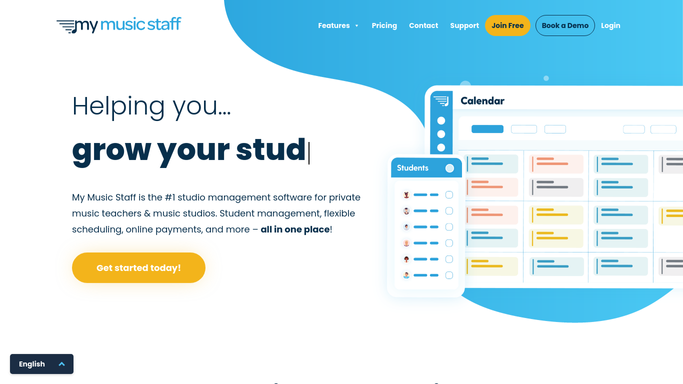
WebRun opens My Music Staff to collect enrolment and billing totals for last month. - Open My Music Staff and navigate to the Reports section
- Pull total active enrolments, new enrolments, withdrawals, and net change for the prior calendar month
- Pull total tuition invoiced and total tuition collected for the same period
Done when All enrolment and billing totals for the prior month are captured.
-
2
Google Sheets - log the numbers to the monthly tracker
google.com How to Automate Google Sheets
WebRun opens Google Sheets to log the numbers to the monthly tracker. - Open the studio's monthly tracker Google Sheet
- Append a new row with the month, enrolment counts, new students, withdrawals, invoiced total, and collected total
- Calculate the month-on-month change in active enrolments
Done when The monthly row is logged and the running totals in the Sheet are updated.
-
3
Slack - post the enrolment and revenue summary
slack.com How to Automate Slack
WebRun opens Slack to post the enrolment and revenue summary. - Post a Slack summary to the studio admin channel with active enrolments, new students, withdrawals, and tuition collected for last month
- Include the month-on-month change in enrolments
- Link to the Google Sheet for the full history
Done when Your team has the monthly enrolment and revenue snapshot in Slack with a link to the Sheet.


How do I automatically generate a monthly music school enrolment and revenue report?
On the first of each month, WebRun pulls active enrolments, new students, withdrawals, and tuition collected from My Music Staff, logs the figures to a Google Sheet tracker, and posts a concise Slack summary with month-on-month changes. The entire process is internal, so no family or student is contacted.
- Studio owners see a clean monthly snapshot without pulling reports manually
- Every monthly result is logged to a growing Google Sheets history
- Month-on-month enrolment trends are visible at a glance in Slack
Built for music studio owners · music school administrators · multi-teacher music studios
How is each run configured?
Secure by default
Connect once, stays signed in
WebRun signs in once and keeps each session in a persistent environment, so every run picks up right where it left off.
Every action is checked against this policy before it runs.
Questions, answered
Does this contact students or families?
No. This is a fully internal digest. It reads data from My Music Staff, logs it to a Google Sheet, and posts a summary to Slack. No external messages are sent.
Can it break down enrolments by teacher or instrument?
Yes. Ask WebRun to segment enrolments by teacher or instrument when setting it up and it will include those breakdowns in both the Sheet and the Slack summary.
What if My Music Staff reports show a different total than I expect?
The Sheet log gives you a month-by-month history so you can compare periods and spot any anomalies. The source is always live data from My Music Staff at the time of the run.
Related templates
Put this on autopilot.
Turn it on in minutes - or have our team set it up for you.