Keep your MNT schedule and calendar always in sync
Every morning, WebRun opens Healthie, lists every new booking, reschedule, and cancellation since the last check, updates the matching event on your Google Calendar, and posts your front desk a short Slack digest of today's schedule and any gaps or double bookings.
- No credit card
- Under $0.01 per run
- Cancel anytime
What does WebRun do on every run?
The exact actions WebRun takes, in order - in plain language, so you can adjust anything.
-
WebRun signs in and gets to work
Opens
app.gethealthie.comin a real browser with your saved login - no setup, no API keys. -
1
Healthie - find new bookings and changes
gethealthie.com How to Automate Healthie

WebRun opens Healthie to find new bookings and changes. - Open Healthie and check the Schedule for changes since yesterday's run
- List every new booking, reschedule, and cancellation with client initials, visit type, and time
- Note whether each visit is telehealth or in person
Done when Every schedule change since the last run is listed with its details.
-
2
Google Calendar - keep the RD's calendar current
calendar.google.com How to Automate Google Calendar
WebRun opens Google Calendar to keep the RD's calendar current. - For each new or moved booking, create or update the matching event on the RD's calendar
- Remove the calendar hold for any canceled session
- Add the telehealth link to the event when the visit is virtual
Done when The RD's Google Calendar exactly matches today's Healthie schedule.
-
3
Slack - brief the front desk each morning
slack.com How to Automate Slack
WebRun opens Slack to brief the front desk each morning. - Post the front desk channel a summary of today's full schedule
- Flag any double booked slots or gaps longer than 30 minutes
- List cancellations so the front desk can work the waitlist
Done when The front desk has this morning's schedule digest and any gaps flagged in Slack.
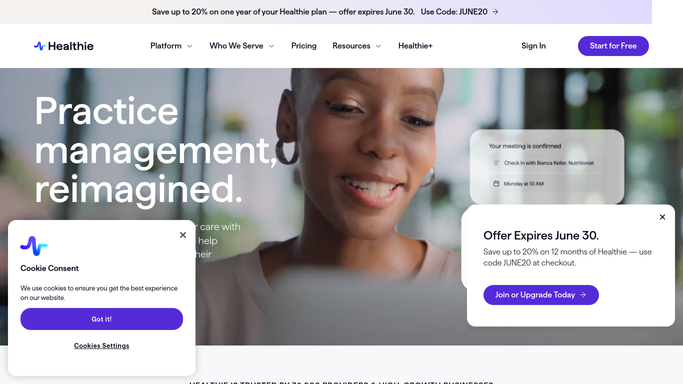


How do I keep my Healthie schedule and calendar in sync automatically?
WebRun checks Healthie each morning for new bookings, reschedules, and cancellations, updates the matching event on the RD's Google Calendar for every change, and posts the front desk a Slack digest of today's schedule with any gaps or double bookings flagged, so the calendar and the team stay accurate without a manual recheck.
- The RD's calendar matches Healthie exactly every morning, with zero manual re-entry
- Double bookings and 30 plus minute gaps are flagged before the day starts
- The front desk opens Slack to a ready made schedule digest instead of rebuilding one
Built for Registered dietitian practices · MNT clinic front desk · solo RD private practice · outpatient nutrition clinics
How is each run configured?
Secure by default
Connect once, stays signed in
WebRun signs in once and keeps each session in a persistent environment, so every run picks up right where it left off.
Every action is checked against this policy before it runs.
Questions, answered
Will it message clients about their bookings?
No. It only updates your own Google Calendar and posts an internal digest to your front desk in Slack. No client is ever emailed or texted by this workflow.
What happens to canceled sessions?
Their calendar hold is removed and the cancellation is listed in the morning Slack digest so the front desk can work the waitlist.
Does it handle telehealth links?
Yes. When a booking is a telehealth visit, WebRun adds the video link to the calendar event so the RD has one place to join from.
Related templates
Put this on autopilot.
Turn it on in minutes - or have our team set it up for you.