Get new clients intake ready before visit one
Every morning, WebRun opens Healthie, checks every new client scheduled to start within the next 2 days, confirms their intake questionnaire is fully completed, checks Stripe to confirm a payment method is on file, and posts your front desk a Slack alert listing anyone missing a form section or a payment method before their first visit.
- No credit card
- Under $0.01 per run
- Cancel anytime
What does WebRun do on every run?
The exact actions WebRun takes, in order - in plain language, so you can adjust anything.
-
WebRun signs in and gets to work
Opens
app.gethealthie.comin a real browser with your saved login - no setup, no API keys. -
1
Healthie - check intake questionnaire completion
gethealthie.com How to Automate Healthie

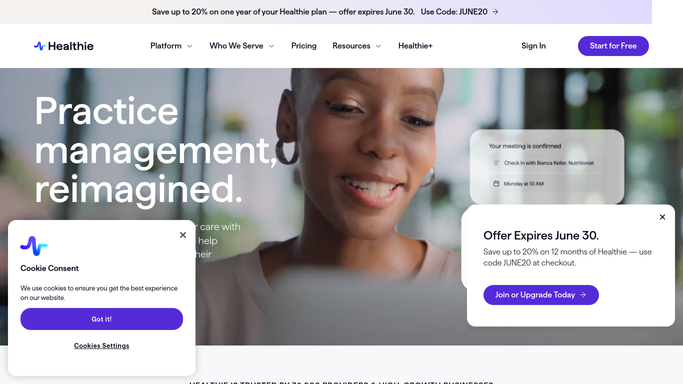
WebRun opens Healthie to check intake questionnaire completion. - Open Healthie and list new clients scheduled to start within the next 2 days
- Check each client's intake questionnaire for completed sections
- Flag any client with an incomplete health history, insurance, or consent section
Done when Every upcoming new client's intake completion status is checked and gaps are flagged.
-
2
Stripe - confirm a payment method is on file
stripe.com How to Automate Stripe
WebRun opens Stripe to confirm a payment method is on file. - Look up each upcoming new client in Stripe
- Confirm a valid payment method is saved on file
- Flag any client with no payment method saved
Done when Every upcoming new client's payment method status is confirmed or flagged as missing.
-
3
Slack - alert the front desk to gaps
slack.com How to Automate Slack
WebRun opens Slack to alert the front desk to gaps. - Post the front desk channel a list of new clients starting in the next 2 days
- Flag which ones are missing an intake section or a payment method
- Sort the list soonest first visit to latest
Done when The front desk has a Slack alert listing every intake gap before each new client's first visit.


How do I make sure new clients are fully intake ready before their first visit?
WebRun checks Healthie every morning for new clients starting within 2 days, confirms their intake questionnaire is fully completed, checks Stripe to confirm a payment method is on file, and posts your front desk a Slack alert listing any missing form section or payment method, so no client arrives for visit one still incomplete.
- Incomplete intake forms are flagged a full 2 days before the first visit, not at check in
- Missing payment methods are caught before the appointment instead of after
- Front desk opens Slack to one sorted list instead of checking every new client by hand
Built for Registered dietitian practices · MNT clinic front desk teams · outpatient nutrition clinics · practice managers
How is each run configured?
Secure by default
Connect once, stays signed in
WebRun signs in once and keeps each session in a persistent environment, so every run picks up right where it left off.
Every action is checked against this policy before it runs.
Questions, answered
Will it contact the new client to finish their forms?
No. It only alerts your own front desk in Slack about what is missing. Any outreach to the client to complete a form is sent by your team, not WebRun.
Does it save or charge a card?
No. It only checks whether a payment method is already saved in Stripe. It never adds, changes, or charges a card on its own.
How far ahead does it check?
New clients starting within the next 2 days, so the front desk has a full business day to close any gap before the first visit.
Related templates
Put this on autopilot.
Turn it on in minutes - or have our team set it up for you.