Win back clients who have not visited in 3 months
Every Monday, WebRun opens MassageBook, finds clients who have not visited in 90 or more days and have no upcoming appointment, drafts a personalised win-back message with a gentle offer in Gmail for each, and posts a Slack list so your team can track the outreach.
- No credit card
- Under $0.01 per run
- Cancel anytime
What does WebRun do on every run?
The exact actions WebRun takes, in order - in plain language, so you can adjust anything.
-
WebRun signs in and gets to work
Opens
www.massagebook.com/businessin a real browser with your saved login - no setup, no API keys. -
1
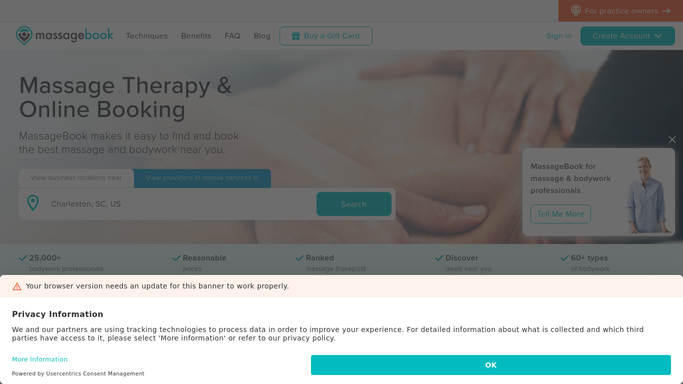
MassageBook - find lapsed clients with no return visit
massagebook.com How to Automate MassageBook

WebRun opens MassageBook to find lapsed clients with no return visit. - Open MassageBook and navigate to the client list
- Filter for clients whose last appointment was 90 or more days ago
- Confirm each client has no upcoming booking
- Capture the client name, email, last service, and last visit date
Done when Every lapsed client with no return booking is listed with their visit history.
-
2
Gmail - draft personalised win-back messages
gmail.com How to Automate Gmail
WebRun opens Gmail to draft personalised win-back messages. - Draft a warm, personalised win-back message referencing the client's last service and how long it has been
- Include a gentle incentive such as a complimentary add-on or a priority booking slot
- Leave all drafts unsent in Gmail for your review before sending
Done when A Gmail draft is ready for every lapsed client.
-
3
Slack - report lapsed client outreach to the team
slack.com How to Automate Slack
WebRun opens Slack to report lapsed client outreach to the team. - Post a Slack summary listing the lapsed clients, their last visit dates, and how many win-back drafts were created
- Highlight clients who were previously regular visitors as the highest priority
Done when Your team has this week's lapsed client win-back summary in Slack.


How do I automatically reach out to lapsed massage therapy clients?
WebRun opens MassageBook every Monday, finds clients who have not visited in 90 or more days with no upcoming appointment, and drafts a warm, personalised win-back message in Gmail for each one. It posts a Slack summary highlighting your highest-priority lapsed clients, so you can review the drafts and start winning them back.
- Lapsed clients are contacted weekly before the relationship fades
- Win-back messages are personalised and reference the client's actual visit history
- No outreach goes out without your approval
Built for massage therapists · massage therapy clinics · spa owners · wellness studios
How is each run configured?
Secure by default
Connect once, stays signed in
WebRun signs in once and keeps each session in a persistent environment, so every run picks up right where it left off.
Every action is checked against this policy before it runs.
Questions, answered
Will it send win-back emails automatically?
No. Every win-back message is drafted in Gmail and left unsent. You review and approve each one before it reaches the client.
How does it define a lapsed client?
By default it flags clients with no visit in the past 90 days and no future booking. You can adjust the threshold to 60, 120, or any period that suits your clinic.
What if a lapsed client has already rebooked on their own?
It reads live booking data from MassageBook each week, so clients who have already scheduled a return visit are excluded automatically.
Related templates
Put this on autopilot.
Turn it on in minutes - or have our team set it up for you.