Delight clients with a birthday offer before their special day
Every morning, WebRun opens ClinicSense, finds clients whose birthday falls within the next 7 days, drafts a warm personalised birthday offer in Gmail for each, and posts a Slack note so your team knows the birthday outreach batch is ready for review.
- No credit card
- Under $0.01 per run
- Cancel anytime
What does WebRun do on every run?
The exact actions WebRun takes, in order - in plain language, so you can adjust anything.
-
WebRun signs in and gets to work
Opens
clinicsense.com/loginin a real browser with your saved login - no setup, no API keys. -
1
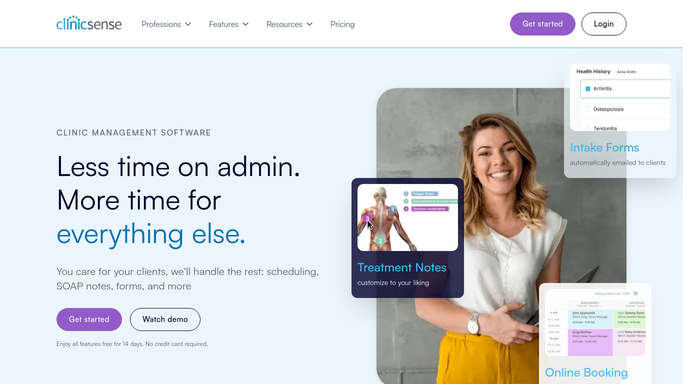
ClinicSense - find clients with upcoming birthdays
clinicsense.com How to Automate ClinicSense

WebRun opens ClinicSense to find clients with upcoming birthdays. - Open ClinicSense and navigate to the client list
- Filter for clients whose birthday is within the next 7 days
- Capture the client name, email, birthday date, and last service type
Done when Every client with an upcoming birthday in the next 7 days is listed.
-
2
Gmail - draft personalised birthday offer messages
gmail.com How to Automate Gmail
WebRun opens Gmail to draft personalised birthday offer messages. - Draft a warm, personalised birthday message for each client including a special offer such as a complimentary add-on or a discount on their next visit
- Reference their name and, where possible, their preferred service
- Leave all drafts unsent in Gmail for your review before sending
Done when A Gmail draft is ready for every client with a birthday in the next 7 days.
-
3
Slack - notify the team that birthday drafts are ready
slack.com How to Automate Slack
WebRun opens Slack to notify the team that birthday drafts are ready. - Post a brief Slack note listing the clients with upcoming birthdays and confirming the drafts are ready in Gmail
- Flag any client whose birthday is tomorrow as top priority
Done when Your team knows today's birthday draft batch is waiting in Gmail for approval.


How do I automatically send birthday offers to massage therapy clients?
WebRun opens ClinicSense every morning, finds clients whose birthday falls within the next 7 days, and drafts a warm personalised birthday offer in Gmail for each one. It notifies your team in Slack that the drafts are ready. Every message waits for your approval before reaching the client, so each birthday greeting feels personal, not automated.
- Clients feel remembered on their birthday, strengthening loyalty and trust
- Birthday offers convert into bookings, adding revenue during quieter periods
- Every birthday message is personalised and approved before it is sent
Built for massage therapy clinics · spa owners · wellness studios · massage therapists focused on client retention
How is each run configured?
Secure by default
Connect once, stays signed in
WebRun signs in once and keeps each session in a persistent environment, so every run picks up right where it left off.
Every action is checked against this policy before it runs.
Questions, answered
Will it send birthday messages to clients automatically?
No. Every birthday message is drafted in Gmail and held unsent until you review and approve it.
What kind of birthday offer should I include?
Common options are a complimentary add-on, a percentage discount on their next visit, or a priority booking slot. Tell WebRun your preferred offer and it will include it in every draft.
What if a client does not have a birthday on file in ClinicSense?
Clients without a birthday date in ClinicSense are simply skipped. The birthday outreach only runs for clients with a date on record.
Related templates
Put this on autopilot.
Turn it on in minutes - or have our team set it up for you.