Pull the mail from people who matter to the top
Every morning, WebRun opens Libero Mail, reads the unread messages in your folders, ranks them by sender against your priority list, records each one in Airtable with its received date, and sends you a short Telegram list of the handful that actually need you today.
- No credit card
- Under $0.01 per run
- Cancel anytime
How do I see the important emails in my inbox first each morning?
WebRun opens Libero Mail every morning, reads your unread messages, and ranks them by sender against your priority list. It logs each one in Airtable with its received date and sends you a short Telegram list of the mail worth answering first, so important senders are not buried under newsletters.
- The mail that needs you is at the top of the list by 7:30 AM
- Priority senders waiting more than a day are flagged by name
- Newsletters stop competing with clients for attention
Built for freelancers · small business owners · consultants · anyone with a busy mailbox
What does WebRun do on every run?
The exact actions WebRun takes, in order - in plain language, so you can adjust anything.
-
WebRun signs in and gets to work
Opens
mail.libero.itin a real browser with your saved login - no setup, no API keys. -
1
Libero Mail - read and rank unread mail
libero.it
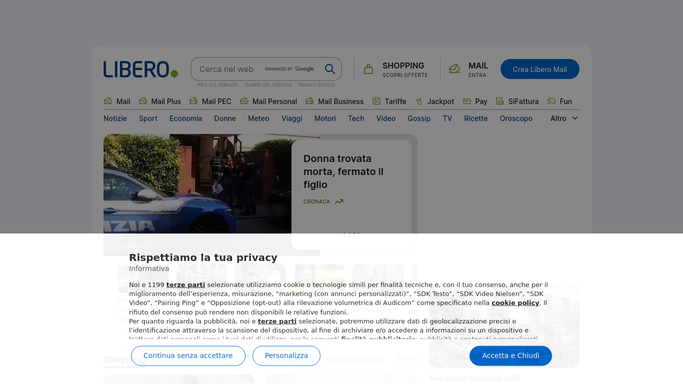
WebRun opens Libero Mail to read and rank unread mail. - Open Libero Mail and go through the unread messages in your inbox and the folders you name
- Capture the sender, the subject and the received date for each one
- Match every sender against your priority list of people, domains and clients
- Set aside newsletters and automated notices so they do not crowd the list
Done when Every unread message is captured with a sender and a priority rank.
-
2
Airtable - log each message
airtable.com How to Automate Airtable

WebRun opens Airtable to log each message. - Add a row per unread message with the sender, subject, folder, received date and priority rank
- Update rows for senders already tracked instead of creating duplicates
- Mark anything from a priority sender that has been sitting unread for more than a day
Done when The Airtable table holds today's unread mail with sender and age against each row.
-
3
Telegram - send the answer-first list
telegram.org How to Automate Telegram

WebRun opens Telegram to send the answer-first list. - Send a short list of the messages worth answering first, priority senders at the top
- Show the sender, the subject and how long each has been waiting
- Close with a count of everything else left unread so nothing is hidden
Done when You have this morning's answer-first list on Telegram.
How is each run configured?
Secure by default
Connect once, stays signed in
WebRun signs in once and keeps each session in a persistent environment, so every run picks up right where it left off.
Every action is checked against this policy before it runs.
Questions, answered
Will it reply to or delete any of my mail?
No. WebRun only reads your mailbox. It never replies, never sends, never deletes and never moves a message. The Airtable log and the Telegram list are the only things it writes.
How does it know which senders matter?
You give it a priority list of people, domains and clients once. WebRun matches every unread sender against that list each morning and ranks the mail accordingly.
Does it mark my mail as read?
No. Messages stay unread in Libero Mail exactly as you left them, so your own inbox counts and habits are untouched.
Related templates
Put this on autopilot.
Turn it on in minutes - or have our team set it up for you.