Log every new Krop applicant automatically
Every morning, WebRun opens Krop, checks your listing for new applicants, adds each one to an Airtable tracker with their portfolio link and applied date, and drafts a short acknowledgment email in Gmail for your hiring manager to review before it goes out.
- No credit card
- Under $0.01 per run
- Cancel anytime
What does WebRun do on every run?
The exact actions WebRun takes, in order - in plain language, so you can adjust anything.
-
WebRun signs in and gets to work
Opens
www.krop.comin a real browser with your saved login - no setup, no API keys. -
1
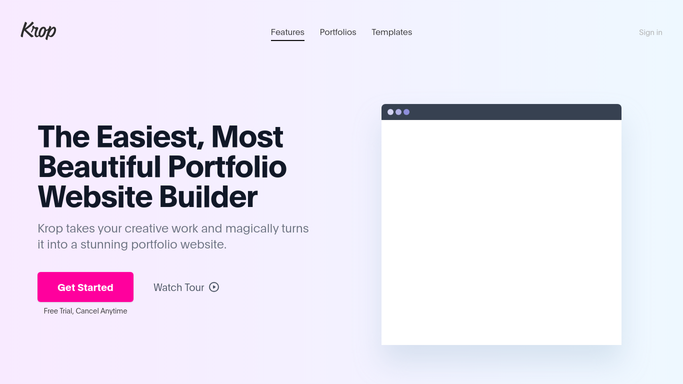
Krop - find new applicants
krop.com

WebRun opens Krop to find new applicants. - Open Krop and check your active listing
- List any applicant received since yesterday
- Capture their name, portfolio link, and applied role
Done when Every new applicant today is captured with their details.
-
2
Airtable - log each with a portfolio link
airtable.com How to Automate Airtable
WebRun opens Airtable to log each with a portfolio link. - Add a record for each new applicant to the tracker
- Attach their portfolio link and set their stage to New
Done when The Airtable tracker holds every new applicant from today.
-
3
Gmail - draft an acknowledgment
gmail.com How to Automate Gmail
WebRun opens Gmail to draft an acknowledgment. - Draft a short acknowledgment email to each new applicant
- Leave every draft unsent in Gmail for the hiring manager to review
Done when Every new applicant has a drafted acknowledgment waiting for review.


How do I keep track of new Krop applicants and acknowledge them quickly?
WebRun checks Krop every morning for new applicants to your creative listings, logs each one to Airtable with their portfolio link, and drafts a short acknowledgment email in Gmail for every applicant. Nothing sends on its own, since emailing a candidate is irreversible, so your hiring manager always reviews and sends each draft themselves.
- Every applicant is logged with their portfolio before lunch
- Acknowledgment emails are drafted and ready, not forgotten
- No candidate email goes out without a human reviewing it first
Built for creative agencies · design hiring managers · in-house creative teams · marketing recruiters
How is each run configured?
Secure by default
Connect once, stays signed in
WebRun signs in once and keeps each session in a persistent environment, so every run picks up right where it left off.
Every action is checked against this policy before it runs.
Questions, answered
Will it email applicants without me?
No. Emailing a candidate is a one way action, so WebRun only drafts the acknowledgment in Gmail. Your hiring manager reviews and sends each one.
What goes into the drafted acknowledgment?
A short, on-brand note confirming the application was received and what to expect next. Give WebRun an example and it will match your tone.
How does it handle applicants to more than one listing?
Each applicant is logged against the specific role they applied for, so the Airtable tracker never mixes up who applied where.
Related templates
Put this on autopilot.
Turn it on in minutes - or have our team set it up for you.