Back up every app build before you ship it
Every hour, WebRun opens Kodular, checks a project's icon, permissions, and package name are set before a build, saves a copy of the project export to Google Drive, and posts the readiness checklist to Slack so the team knows it's safe to compile.
- No credit card
- Under $0.01 per run
- Cancel anytime
What does WebRun do on every run?
The exact actions WebRun takes, in order - in plain language, so you can adjust anything.
-
WebRun signs in and gets to work
Opens
kodular.ioin a real browser with your saved login - no setup, no API keys. -
1
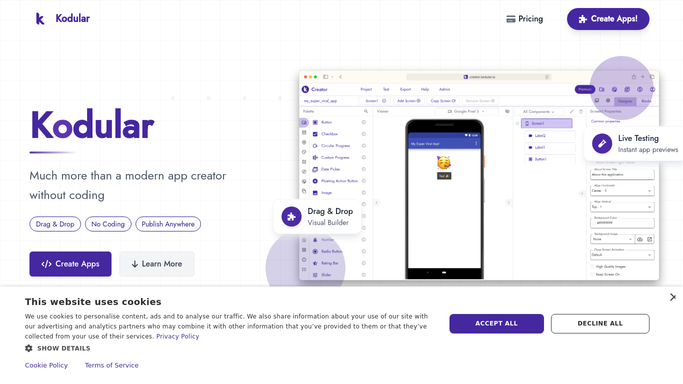
Kodular - check the project is build-ready
kodular.io

WebRun opens Kodular to check the project is build-ready. - Open Kodular and check any project edited since the last run
- Confirm the app icon, package name, and permissions are set
- Export the project file if the checklist passes
Done when Every edited project has a pass or fail readiness result.
-
2
Google Drive - save the project export
drive.google.com How to Automate Google Drive
WebRun opens Google Drive to save the project export. - Open the app backups folder in Google Drive
- Save the exported project file with today's date
- Keep prior exports in place as version history
Done when A dated backup of the project exists in Drive.
-
3
Slack - post the readiness checklist
slack.com How to Automate Slack
WebRun opens Slack to post the readiness checklist. - Post the project name and its readiness checklist to the build channel
- Name any missing icon, permission, or package setting
- Link to the backed-up export in Drive
Done when The team has the readiness result and backup link in Slack.


How do I make sure a Kodular project is ready before I build it?
WebRun checks every edited Kodular project hourly for a set icon, package name, and permissions, saves a dated export to Google Drive, and posts the readiness checklist to Slack. Builds stop failing on missing settings, and every version has a backup in Drive before anyone compiles it.
- Missing settings get caught before a wasted build attempt
- Every project export has a dated backup in Drive
- The team sees build readiness in Slack instead of guessing
Built for No-code app builders · solo developers · app agencies · hobbyist teams
How is each run configured?
Secure by default
Connect once, stays signed in
WebRun signs in once and keeps each session in a persistent environment, so every run picks up right where it left off.
Every action is checked against this policy before it runs.
Questions, answered
Will it compile or publish the app?
No. WebRun only checks the project's settings and saves a backup export. Compiling and publishing stay manual steps for your team.
What happens if a setting is missing?
The checklist posts to Slack as failed with the exact missing item named, so someone can fix it before the next build attempt.
How many backups does it keep?
Every export is saved with its own date in Google Drive, so past versions stay available for as long as you keep the folder.
Related templates
Put this on autopilot.
Turn it on in minutes - or have our team set it up for you.