Spot your best Kalibrr candidates instantly
Every hour, WebRun opens Kalibrr, checks which candidates completed their assessment since the last run, flags anyone who scored above the bar you set to the hiring channel in Slack, and pings the recruiter directly on Telegram so interview scheduling starts the same day.
- No credit card
- Under $0.01 per run
- Cancel anytime
What does WebRun do on every run?
The exact actions WebRun takes, in order - in plain language, so you can adjust anything.
-
WebRun signs in and gets to work
Opens
www.kalibrr.comin a real browser with your saved login - no setup, no API keys. -
1
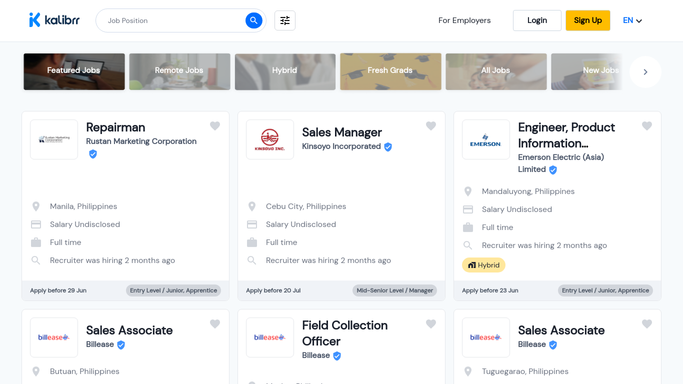
Kalibrr - check completed assessments
kalibrr.com

WebRun opens Kalibrr to check completed assessments. - Open Kalibrr and check assessments completed since the last run
- Record each candidate's score against your threshold
- Note their applied role and contact status
Done when Every assessment completed this run has been scored and logged.
-
2
Slack - flag top scorers
slack.com How to Automate Slack
WebRun opens Slack to flag top scorers. - Post any candidate scoring above your bar to the hiring channel
- Include their score and applied role
Done when The hiring channel has every top scoring candidate from this run.
-
3
Telegram - ping the recruiter
telegram.org How to Automate Telegram
WebRun opens Telegram to ping the recruiter. - Ping the recruiter directly for any top scoring candidate
- Note that interview scheduling is ready to start
Done when The recruiter has been pinged about every top scoring candidate.


How do I get alerted when a strong candidate completes a Kalibrr assessment?
WebRun checks Kalibrr every hour for newly completed candidate assessments, flags anyone scoring above the bar you set to your Slack hiring channel, and pings the recruiter directly on Telegram. It never contacts a candidate or books an interview itself, so the strongest scorers get noticed fast while outreach stays your team's decision.
- Top scoring candidates get flagged within the hour
- Interview scheduling starts the same day a strong score lands
- Recruiters focus on the strongest candidates first, not the full queue
Built for recruiters in the Philippines · talent acquisition teams · BPO hiring managers · HR shared services
How is each run configured?
Secure by default
Connect once, stays signed in
WebRun signs in once and keeps each session in a persistent environment, so every run picks up right where it left off.
Every action is checked against this policy before it runs.
Questions, answered
Does WebRun schedule the interview or contact the candidate?
No. It only flags top scorers to your team. Reaching out to schedule an interview stays a manual step your recruiter takes.
How is the scoring threshold set?
You set the minimum assessment score that counts as a top candidate, and only scores at or above it get flagged.
What happens to candidates below the threshold?
They are still scored and logged in Kalibrr as normal. They just don't trigger the Slack or Telegram alert, so your team's attention goes to the strongest candidates first.
Related templates
Put this on autopilot.
Turn it on in minutes - or have our team set it up for you.