Draft exam-prep reminders for every upcoming imaging appointment
Every morning, WebRun opens RamSoft, finds all exams scheduled in the next 48 hours, drafts modality-appropriate prep instructions for each appointment, and logs the drafts to a Google Sheet for your front-desk team to review and send through your approved patient communication channel.
- No credit card
- Under $0.01 per run
- Cancel anytime
What does WebRun do on every run?
The exact actions WebRun takes, in order - in plain language, so you can adjust anything.
-
WebRun signs in and gets to work
Opens
www.ramsoft.comin a real browser with your saved login - no setup, no API keys. -
1
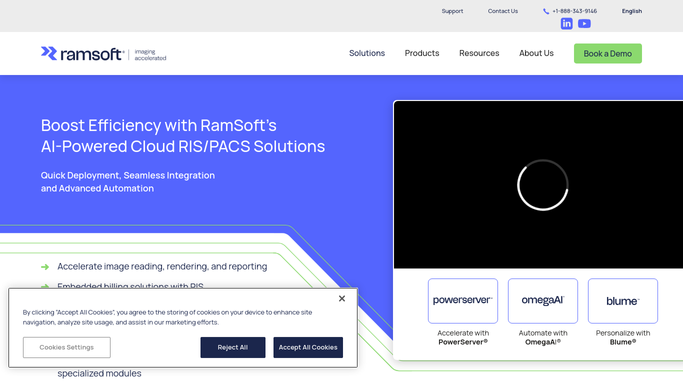
RamSoft - pull exams scheduled in the next 48 hours
ramsoft.com How to Automate RamSoft

WebRun opens RamSoft to pull exams scheduled in the next 48 hours. - Open RamSoft and filter the schedule for exams in the next 48 hours
- Capture modality, exam type, appointment time, and patient contact information
- Match each exam type to the appropriate prep protocol (contrast, fasting, bowel prep, etc.)
Done when All upcoming exams in the 48-hour window are captured with the correct prep protocol matched.
-
2
Google Sheets - log prep-instruction drafts for staff review
google.com How to Automate Google Sheets
WebRun opens Google Sheets to log prep-instruction drafts for staff review. - Add a row for each upcoming appointment to the Exam Prep Drafts sheet
- Include the draft prep instruction text, modality, appointment time, and a status column for staff to mark as sent
- Flag any exams with contrast or sedation requirements at the top of the sheet
Done when All prep drafts are logged in Google Sheets and ready for staff review and dispatch.

How do I automatically prepare exam-prep reminders for upcoming imaging appointments?
WebRun opens RamSoft every morning, finds all exams in the next 48 hours, matches each to its modality-specific prep protocol, and logs a ready-to-send draft to a Google Sheet for your front-desk team. Staff review and dispatch the reminders through your approved patient channel, keeping PHI secure and prep compliance high.
- Every upcoming exam has a prep draft ready before 8 AM with no manual work
- Contrast and sedation exams flagged first so staff prioritize complex prep calls
- Staff spend time on patient conversations, not on looking up prep protocols
Built for imaging center front-desk staff · radiology schedulers · outpatient imaging coordinators
How is each run configured?
Secure by default
Connect once, stays signed in
WebRun signs in once and keeps each session in a persistent environment, so every run picks up right where it left off.
Every action is checked against this policy before it runs.
Questions, answered
Will it send the prep reminders to patients automatically?
No. WebRun drafts the prep instructions and logs them in Google Sheets for your staff to review and send. Patient-facing messages containing appointment details are always dispatched by a human through your approved communication channel, keeping PHI protected.
How does it know which prep instructions to use for each exam?
It matches the exam type from RamSoft to a prep-protocol library you configure when setting up the workflow, so MRI contrast, CT bowel prep, and fasting requirements each get the correct instruction draft.
What if an appointment is cancelled after the draft is created?
The draft in Google Sheets is just a row with a status column. Your staff mark it as sent once they dispatch it, so a cancelled appointment simply goes unsent with no action required from WebRun.
Related templates
Put this on autopilot.
Turn it on in minutes - or have our team set it up for you.