File every bill and receipt that arrives by email
Every morning, WebRun signs into I.UA Mail, goes through yesterday's messages for attachments that look like bills, invoices or receipts, moves each message into your accounts folder, indexes every document in Notion with its sender, subject and date, and sends you a Telegram count of what was filed.
- No credit card
- Under $0.01 per run
- Cancel anytime
How do I file every bill and receipt that arrives by email?
Every morning, WebRun signs into I.UA Mail, finds the messages carrying bills, invoices or receipts, and moves each into your accounts folder. It indexes every attachment in Notion with the sender, subject and date, then sends a Telegram count, so month end starts from one filed set rather than a search.
- Every bill sits in one folder instead of scattered through the inbox
- Month end starts from an index, not a mailbox search
- Nothing is ever deleted, only moved and recorded
Built for bookkeepers · small business owners · freelancers · office administrators
What does WebRun do on every run?
The exact actions WebRun takes, in order - in plain language, so you can adjust anything.
-
WebRun signs in and gets to work
Opens
mail.i.uain a real browser with your saved login - no setup, no API keys. -
1
I.UA Mail - find and file the attachments
i.ua
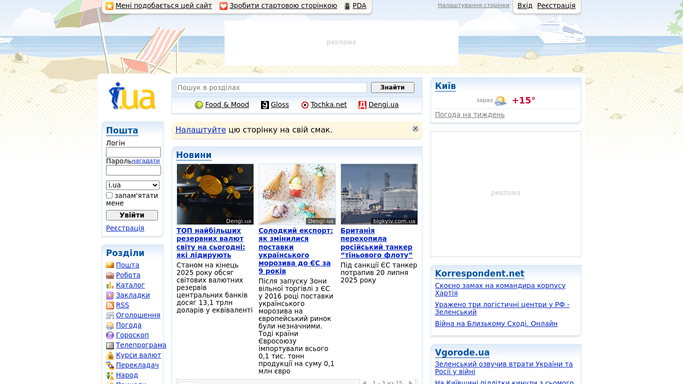
WebRun opens I.UA Mail to find and file the attachments. - Sign into I.UA Mail and open the messages that arrived since the last run
- Keep the ones carrying an attachment and read the subject line and sender on each
- Judge which attachments are bills, invoices or receipts from the subject, the sender, and the file name
- Move each matching message into your accounts folder so the inbox clears
- Never delete a message. Anything that does not clearly match is left where it is
Done when Every new message with a bill or receipt attached sits in the accounts folder.
-
2
Notion - index each document
notion.so How to Automate Notion

WebRun opens Notion to index each document. - Add a row to your document index in Notion for each attachment filed
- Record the sender, the subject line, the date received, and the file name
- Capture the amount and the invoice number where they are readable in the subject or the file name
- Mark rows with nothing readable as needing a look, rather than guessing at a figure
Done when Every filed attachment has an index row in Notion.
-
3
Telegram - send the daily filing count
telegram.org How to Automate Telegram

WebRun opens Telegram to send the daily filing count. - Send a short Telegram note with how many documents were filed this morning
- Name the senders so a bill from an unexpected supplier is noticed the same day
- Flag the rows that need a human look because the amount could not be read
- Keep a running month-to-date count so nothing is missed at close
Done when You have today's filing count and any rows that need attention.
How is each run configured?
Secure by default
Connect once, stays signed in
WebRun signs in once and keeps each session in a persistent environment, so every run picks up right where it left off.
Every action is checked against this policy before it runs.
Questions, answered
Will it delete anything from my mailbox?
No. WebRun only moves matching messages into a folder you name, and deleting is blocked outright. Anything it is unsure about is left in the inbox untouched.
Will it reply to any of these emails?
No. This run reads and files. It never sends, replies, or forwards a message, so no supplier hears from your mailbox because of it.
How does it decide what is a bill?
From the sender, the subject line and the attachment file name. You can list your regular suppliers at setup so their messages are filed with certainty rather than judgement.
Related templates
Put this on autopilot.
Turn it on in minutes - or have our team set it up for you.