Confirm this week's retailer deliveries before the truck leaves
Every Monday, WebRun opens iUNU, checks harvest-ready volume against this week's retailer delivery calendar in Google Sheets, and drafts a delivery confirmation email in Outlook for each retailer with the confirmed quantity and delivery date, ready for your review before it is sent.
- No credit card
- Under $0.01 per run
- Cancel anytime
What does WebRun do on every run?
The exact actions WebRun takes, in order - in plain language, so you can adjust anything.
-
WebRun signs in and gets to work
Opens
app.iunu.comin a real browser with your saved login - no setup, no API keys. -
1
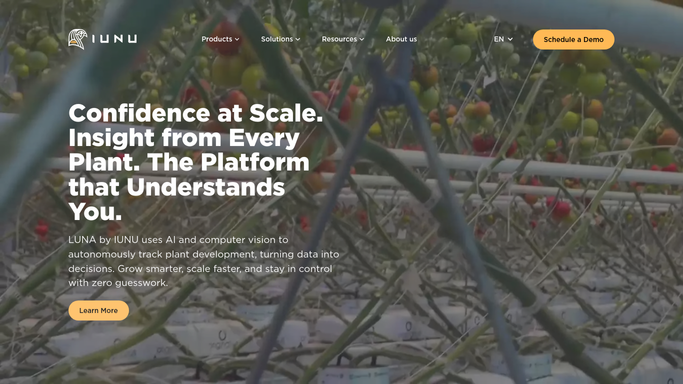
iUNU - check harvest-ready volume
iunu.com How to Automate iUNU

WebRun opens iUNU to check harvest-ready volume. - Open the LUNA dashboard and check this week's harvest-ready volume by crop
- Compare it against the total volume promised across this week's deliveries
- Flag any crop where promised volume exceeds what will actually be ready
Done when This week's harvest-ready volume has been checked against every scheduled delivery.
-
2
Google Sheets - match volume to the delivery calendar
google.com How to Automate Google Sheets
WebRun opens Google Sheets to match volume to the delivery calendar. - Open the retailer delivery calendar
- Match each retailer's scheduled delivery to the checked volume and date
- Update the status to confirmed or at risk
Done when Every scheduled delivery has a confirmed or at risk status.
-
3
Outlook - draft the retailer confirmation
outlook.com How to Automate Outlook
WebRun opens Outlook to draft the retailer confirmation. - Draft a delivery confirmation to each retailer with the quantity and delivery date
- For any delivery at risk, note the shortfall and a revised quantity in the draft
- Leave every email as a draft for you to review and send. Never send it automatically
Done when A confirmation draft is ready in Outlook for every scheduled retailer delivery.


How do I confirm retailer deliveries match what will actually be ready to ship?
WebRun checks iUNU's harvest-ready volume against this week's retailer delivery calendar in Google Sheets every Monday, flags any delivery that promised more than will actually be ready, and drafts a confirmation email in Outlook for each retailer with the quantity and date. Every draft waits for your review and send, so no retailer gets a confirmation WebRun sent on its own.
- Every delivery gets checked against real harvest volume before Monday ships
- At-risk deliveries are caught before the truck is loaded, not after
- Confirmations always wait for a human review before they are sent
Built for commercial hydroponic growers · vertical farm operators · wholesale produce sales teams · retail account managers
How is each run configured?
Secure by default
Connect once, stays signed in
WebRun signs in once and keeps each session in a persistent environment, so every run picks up right where it left off.
Every action is checked against this policy before it runs.
Questions, answered
Will it email retailers without me reviewing it first?
No. WebRun only drafts each confirmation in Outlook. You review and send every one yourself, so nothing reaches a retailer without your approval.
What happens if this week's harvest can't cover a delivery?
It flags the delivery as at risk and drafts the confirmation with a revised quantity, so you can decide whether to partial-ship or call the retailer before anything is sent.
How current is the harvest volume it checks?
It reads live harvest-ready volume from iUNU each Monday, not a forecast from weeks earlier, so the check reflects what will actually be ready to load.
Related templates
Put this on autopilot.
Turn it on in minutes - or have our team set it up for you.