Get every secure form submission to the right person
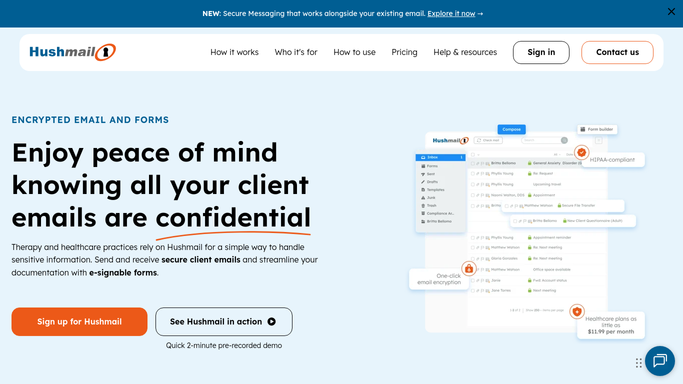
When a secure web form is submitted, WebRun opens the encrypted email in Hushmail, reads which form it is and who sent it, files it in the matching inbox folder, drafts a handoff email in Gmail for the person who owns that form type, and texts them through Twilio.
- 7-day free trial
- Under $0.01 per run
- Cancel anytime

What does WebRun do on every run?
The exact actions WebRun takes, in order - in plain language, so you can adjust anything.
-
WebRun signs in and gets to work
Opens
www.hushmail.comin a real browser with your saved login - no setup, no API keys. -
1
Hushmail - sort and file the submission
hushmail.com

WebRun opens Hushmail to sort and file the submission. - Open the new secure form submission in your Hushmail inbox
- Read which form was completed, the sender's name, and the date it arrived
- Move the message into the inbox folder for that form type, leaving the PDF copy attached in place
- Reply to nobody. WebRun files the submission and never answers the sender
Done when The submission is identified by form type and filed in the right folder.
-
2
Gmail - draft the handoff to the owner
gmail.com How to Automate Gmail
WebRun opens Gmail to draft the handoff to the owner. - Compose a short internal handoff email to the colleague who owns that form type
- Name the form, the date received, and where it has been filed, without copying the form contents across
- Leave it as an unsent draft. WebRun never sends the handoff or forwards the submission itself
Done when A handoff draft for the owning colleague is waiting in Gmail.
-
3
Twilio - text the owner it has landed
twilio.com How to Automate Twilio
WebRun opens Twilio to text the owner it has landed. - Send a short SMS to the internal number saved for that form type, saying a new submission has arrived
- Keep the text to the form name and the count waiting, with no client details in the message
- Text only your own saved staff numbers. Any message to a number outside that list is drafted for your approval, and the person who submitted the form is never texted
Done when The owning colleague has been told a new submission is waiting.

How do I route secure form submissions to the right person automatically?
When a secure form is submitted to your Hushmail account, WebRun reads the submission type and the sender details, files it in the right folder, and drafts a handoff email in Gmail to whoever owns that form. WebRun then texts the owner through Twilio, so intake never sits in a shared inbox.
- New intake reaches its owner the day it arrives
- Every submission is filed by form type instead of pooling in one inbox
- Form contents stay inside Hushmail, with only a pointer sent onward
Built for healthcare practices · law firms · therapists and counsellors · practice managers
How is each run configured?
Secure by default
Connect once, stays signed in
WebRun signs in once and keeps each session in a persistent environment, so every run picks up right where it left off.
Every action is checked against this policy before it runs.
Questions, answered
Will it reply to the person who submitted the form?
No. WebRun never contacts the sender. It files the submission, drafts an internal handoff for your colleague to send, and texts only your own staff numbers.
Does the form content leave Hushmail?
No. The submission and its attachment stay in your Hushmail account. The internal handoff names the form and where it is filed rather than copying the contents.
What happens with a form it cannot identify?
It stays in the main inbox and is flagged for review rather than filed into a guessed folder, so nothing sensitive lands in the wrong place.
Related templates
Put this on autopilot.
Turn it on in minutes - or have our team set it up for you.