Catch Omnicell cabinet stockouts before they hit patient care
Every 30 minutes, WebRun checks Omnicell cabinet stock across every nursing unit, flags any item projected to run out before the next restock, drafts a reorder in Cardinal Health for the buyer to approve, and posts a Teams alert listing what's low and why.
- No credit card
- Under $0.01 per run
- Cancel anytime
What does WebRun do on every run?
The exact actions WebRun takes, in order - in plain language, so you can adjust anything.
-
WebRun signs in and gets to work
Opens
www.omnicell.comin a real browser with your saved login - no setup, no API keys. -
1
Omnicell - flag cabinet items about to stock out
omnicell.com How to Automate Omnicell

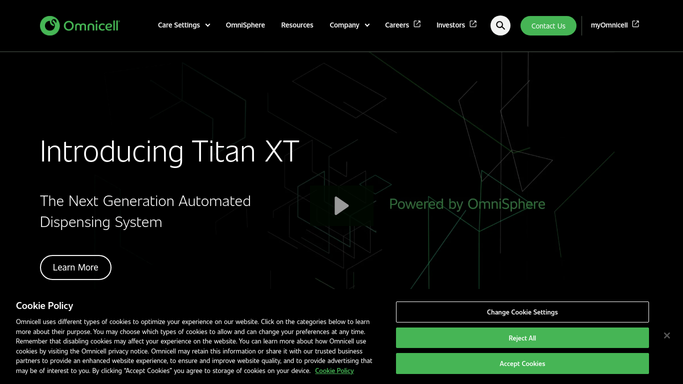
WebRun opens Omnicell to flag cabinet items about to stock out. - Open Omnicell and pull current on-hand counts for every ADC pocket across all units
- Compare on-hand quantity against each item's par level and average daily usage
- Project which items will hit zero before the next scheduled restock run
Done when Every cabinet item at risk of stocking out before the next restock is identified with its projected stockout time.
-
2
Cardinal Health - draft a reorder for approval
- Look up each at-risk item's current price and available quantity in Cardinal Health
- Draft a reorder with the quantity needed to restore par, but leave it unsubmitted
- Attach the projected stockout time so the buyer can prioritize
Done when A draft reorder is ready in Cardinal Health for every at-risk item, awaiting the buyer's approval.
-
3
Microsoft Teams - alert the pharmacy buyer
microsoft.com How to Automate Microsoft Teams
WebRun opens Microsoft Teams to alert the pharmacy buyer. - Post the at-risk items to the pharmacy buyer's Teams channel, soonest stockout first
- Link directly to each draft reorder so it can be approved with one click
- Skip the alert entirely on runs where nothing is at risk
Done when The pharmacy buyer has every at-risk item and its draft reorder waiting in Teams.

How do I stop Omnicell cabinets from running out of stock?
WebRun checks Omnicell cabinet stock every 30 minutes, comparing on-hand counts to par levels and usage to project which items will run out before the next restock. It drafts a Cardinal Health reorder for each at-risk item and posts the buyer a Teams alert to approve, so cabinets get restocked before a nurse hits an empty pocket.
- Cabinet items are reordered before a nurse ever finds an empty pocket
- The buyer approves a ready-made draft instead of building a reorder from scratch
- No stockout alert fires unless an item is genuinely at risk
Built for hospital pharmacy directors · pharmacy buyers · inventory technicians · health system supply chain teams
How is each run configured?
Secure by default
Connect once, stays signed in
WebRun signs in once and keeps each session in a persistent environment, so every run picks up right where it left off.
Every action is checked against this policy before it runs.
Questions, answered
Will it submit the reorder to Cardinal Health automatically?
No. WebRun only drafts the reorder with the quantity needed to restore par. Your pharmacy buyer reviews and submits it, so nothing is purchased without a human approving it first.
How does it know an item is really about to stock out?
It compares live on-hand counts in Omnicell against each item's par level and recent average daily usage, then projects a stockout time. Only items projected to run out before the next restock get flagged.
Does it alert on every cabinet check, even when stock looks fine?
No. It only posts to Teams when at least one item is genuinely at risk, so the pharmacy buyer isn't checking a channel that's usually empty.
Related templates
Put this on autopilot.
Turn it on in minutes - or have our team set it up for you.