Keep updated care plans from falling through
Every night, WebRun opens CGM APRIMA, finds every care plan updated during that day's home visits, checks whether it still needs collaborating physician co-signature or a final review, adds each one to a shared Google Doc worklist, and posts a reminder to Microsoft Teams so nothing sits unfinished before the next visit day.
- No credit card
- Under $0.01 per run
- Cancel anytime
What does WebRun do on every run?
The exact actions WebRun takes, in order - in plain language, so you can adjust anything.
-
WebRun signs in and gets to work
Opens
www.cgm.com/usa_en/products/electronic-health-records/cgm-aprima.htmlin a real browser with your saved login - no setup, no API keys. -
1
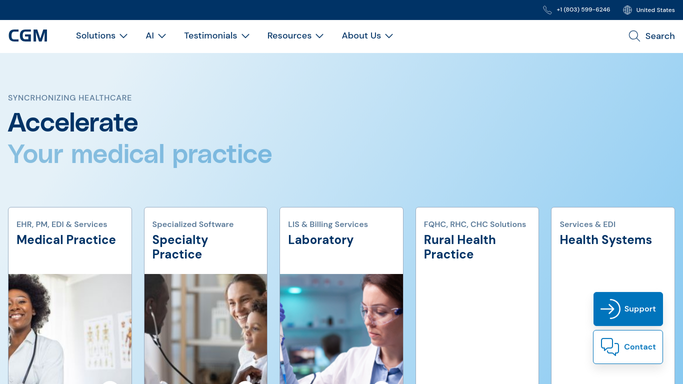
CGM APRIMA - find today's updated care plans
cgm.com How to Automate CGM APRIMA

WebRun opens CGM APRIMA to find today's updated care plans. - Open CGM APRIMA and filter care plans updated during today's home visits
- Check the signature and review status of each updated plan
- Capture the patient, updating provider, and what is still needed: co-signature or final review
Done when Every care plan updated today is listed with its current review or signature status.
-
2
Google Docs - log plans awaiting review
docs.google.com How to Automate Google Docs
WebRun opens Google Docs to log plans awaiting review. - Open the shared Care Plan Review worklist document
- Add a line for each plan still needing co-signature or review, with the patient and provider named
- Remove any line for a plan that was finalized since the last run
Done when The worklist document reflects every care plan still pending review or co-signature.
-
3
Microsoft Teams - remind the team what's pending
teams.microsoft.com How to Automate Microsoft Teams
WebRun opens Microsoft Teams to remind the team what's pending. - Post a reminder to the clinical team channel listing how many care plans are pending review
- Name the collaborating physician responsible for each outstanding co-signature
- Link to the shared worklist document
Done when The team has a Teams reminder naming every pending care plan and who owns it.

How do I make sure updated home visit care plans get reviewed and co-signed on time?
WebRun checks CGM APRIMA every night for care plans updated during that day's home visits and flags any still awaiting collaborating physician co-signature or final review. It logs each one to a shared Google Doc worklist and posts a Microsoft Teams reminder naming who owns it, so an updated plan never sits unfinished before the next visit.
- Updated care plans get reviewed the same night instead of drifting for days
- Every outstanding co-signature is named to the specific physician who owns it
- Finalized plans drop off the worklist automatically instead of needing manual cleanup
Built for home based primary care practices · nurse practitioners · collaborating physicians · clinical quality managers
How is each run configured?
Secure by default
Connect once, stays signed in
WebRun signs in once and keeps each session in a persistent environment, so every run picks up right where it left off.
Every action is checked against this policy before it runs.
Questions, answered
Does it finalize or sign the care plan itself?
No. WebRun only identifies which care plans still need review or co-signature and reminds the responsible person. Reviewing, editing, and signing a care plan always stays a clinical decision made by the provider or collaborating physician.
Who is named as responsible for a pending co-signature?
It reads the collaborating physician assigned to that patient's plan in CGM APRIMA and names them directly in the Teams reminder, so the reminder always reaches the right person rather than a general channel.
What if a plan is reviewed later the same night?
The worklist reflects live status from CGM APRIMA at the next run. Any plan finalized after this run's check will show as resolved and drop off the list the following night.
Related templates
Put this on autopilot.
Turn it on in minutes - or have our team set it up for you.