Return leftover materials before the window closes
Every morning, WebRun opens Home Depot, reads recent orders and receipts, works out how many days are left to return each one, updates the return tracker in Airtable, and posts today's take-back list to Notion.
- No credit card
- Under $0.01 per run
- Cancel anytime
What does WebRun do on every run?
The exact actions WebRun takes, in order - in plain language, so you can adjust anything.
-
WebRun signs in and gets to work
Opens
homedepot.comin a real browser with your saved login - no setup, no API keys. -
1
Home Depot - read orders and return windows
homedepot.com

WebRun opens Home Depot to read orders and return windows. - Open Home Depot and go to your purchase history
- Capture each recent order: items, quantity, amount, order date and status
- Work out the last day each purchase can be returned from its purchase date and return policy
- Note the store or fulfilment location the order came from
Done when Every recent order has a return deadline calculated.
-
2
Airtable - update the return tracker
airtable.com How to Automate Airtable
WebRun opens Airtable to update the return tracker. - Update the return tracker with each order, its items and its last return day
- Mark orders your crew has already flagged as fully used so they drop off the list
- Recalculate days remaining on every open row
Done when The tracker shows days remaining for every open purchase.
-
3
Notion - post today's take-back list
notion.so How to Automate Notion
WebRun opens Notion to post today's take-back list. - Post today's take-back list: unused purchases with the fewest days left first
- Show the store, the receipt reference and the amount at stake on each line
- Leave the decision to return with your team. WebRun never starts a return or a refund
Done when Today's take-back list is in Notion with deadlines and amounts.
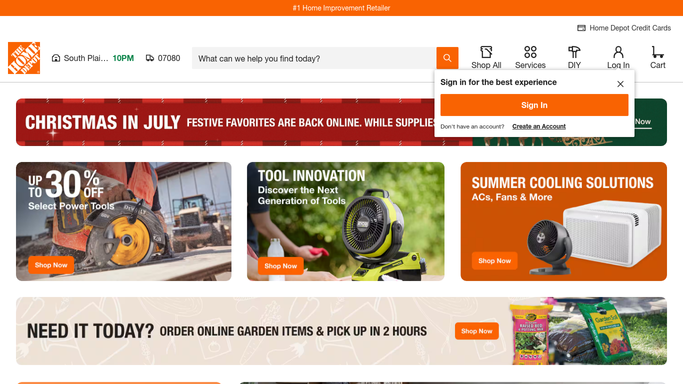


How do I track Home Depot return deadlines on job materials?
Every morning, WebRun opens Home Depot, reads your recent orders and receipts, and works out the last day each purchase can go back. It updates the return tracker in Airtable and posts a Notion list of unused material sorted by days remaining, so leftovers turn back into cash.
- Unused material goes back for a refund instead of sitting in the van
- Every purchase carries a visible countdown to its last return day
- The biggest amounts at risk are listed first each morning
Built for contractors · office managers · field-service teams · construction firms
How is each run configured?
Secure by default
Connect once, stays signed in
WebRun signs in once and keeps each session in a persistent environment, so every run picks up right where it left off.
Every action is checked against this policy before it runs.
Questions, answered
Will it start a return on its own?
No. WebRun only reads your order history and reports what is running out of time. Starting a return or requesting a refund stays a human decision, made by your team at the store or online.
How does it know what is still unused?
Your crew marks used orders in the Airtable tracker, and anything marked used drops off the list. Everything else is treated as still returnable until its deadline passes.
Does it handle in-store receipts too?
Yes, when the purchase is tied to your Home Depot account, so it appears in your online purchase history with its date and store alongside delivered orders.
Related templates
Put this on autopilot.
Turn it on in minutes - or have our team set it up for you.