Watch what your job materials cost this week
Every Monday, WebRun opens Home Depot, looks up each SKU on your standing materials list at your chosen store, records the current price and availability in a Google Sheet, compares it with last week's row, and posts a Telegram alert listing anything that got more expensive or went out of stock.
- No credit card
- Under $0.01 per run
- Cancel anytime
How do I track weekly material prices for my job quotes?
WebRun checks your Home Depot materials list every Monday, reading the current price and store availability for each SKU. It writes a dated column into a Google Sheet, compares it with last week, and posts a Telegram alert naming the items whose price rose or that went out of stock.
- Quotes use this week's real prices, not last quarter's
- Out-of-stock materials surface before the crew drives to the store
- A dated sheet shows exactly how job costs moved over time
Built for contractors · remodelers · property maintenance teams · estimators
What does WebRun do on every run?
The exact actions WebRun takes, in order - in plain language, so you can adjust anything.
-
WebRun signs in and gets to work
Opens
homedepot.comin a real browser with your saved login - no setup, no API keys. -
1
Home Depot - check price and stock per SKU
homedepot.com
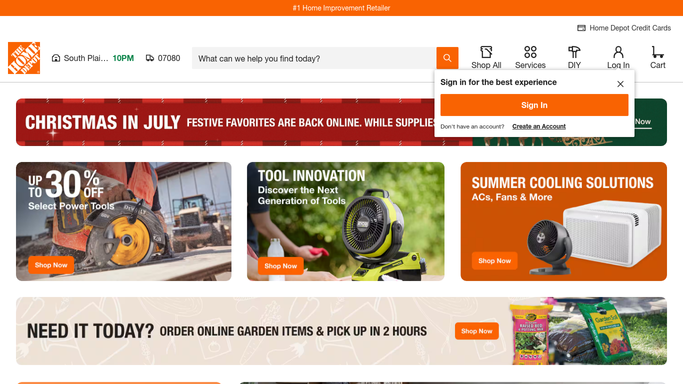
WebRun opens Home Depot to check price and stock per SKU. - Open Home Depot and set the store to your usual pickup location
- Search each SKU or product link from your standing materials list
- Capture the current price, the unit, and the in-store availability for each item
- Note anything that is unavailable or limited so it can be flagged
Done when Every item on the materials list has this week's price and availability.
-
2
Google Sheets - log this week's prices
google.com How to Automate Google Sheets

WebRun opens Google Sheets to log this week's prices. - Open your materials pricing sheet and add a dated column for this week
- Write the price and availability against each SKU row
- Calculate the change against last week's column for every item
- Leave earlier columns untouched so the trend stays readable
Done when This week's prices sit beside the previous weeks with the change calculated.
-
3
Telegram - flag jumps and stockouts
telegram.org How to Automate Telegram

WebRun opens Telegram to flag jumps and stockouts. - Post a short list of items whose price rose past the threshold you set
- Add any item that is now out of stock at your store
- Put the biggest change first and link the sheet for the full picture
Done when Your team has this week's price movers and stockouts in Telegram.
How is each run configured?
Secure by default
Connect once, stays signed in
WebRun signs in once and keeps each session in a persistent environment, so every run picks up right where it left off.
Every action is checked against this policy before it runs.
Questions, answered
Will it buy anything or place an order?
No. WebRun only reads product pages and records what it sees. It never adds to cart, never checks out, and never spends money. Ordering stays a decision you make yourself.
Can it price against my local store?
Yes. WebRun sets the store to the pickup location you choose during setup, so the price and availability it records are the ones your crew will actually get at the counter.
What counts as a price jump worth alerting on?
Whatever threshold you set, for example any item up more than 5 percent or more than two dollars. Everything else is logged quietly in the sheet without an alert.
Related templates
Put this on autopilot.
Turn it on in minutes - or have our team set it up for you.