Keep families informed with ready-to-send status updates
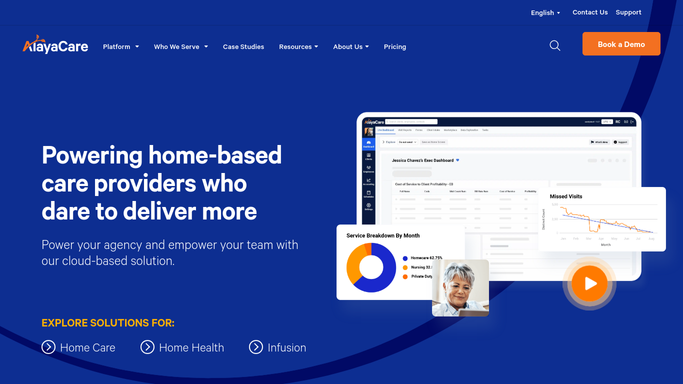
Every evening, WebRun opens AlayaCare, reads completed visit notes for clients with family-update preferences enabled, and drafts a warm plain-language summary email for each family in Gmail for a care coordinator to review, personalize, and send.
- No credit card
- Under $0.01 per run
- Cancel anytime
What does WebRun do on every run?
The exact actions WebRun takes, in order - in plain language, so you can adjust anything.
-
WebRun signs in and gets to work
Opens
app.alayacare.comin a real browser with your saved login - no setup, no API keys. -
1
AlayaCare - read completed visit notes
alayacare.com

WebRun opens AlayaCare to read completed visit notes. - Open AlayaCare and navigate to today's completed visits
- Filter for clients who have a family update preference enabled in their profile
- Read the visit notes, activities completed, and any flags or concerns recorded by the caregiver
- Note the client name, caregiver name, visit date, and key care details for each
Done when Every completed visit with a family update preference has been read and summarized internally.
-
2
Gmail - draft family status update for review
gmail.com How to Automate Gmail
WebRun opens Gmail to draft family status update for review. - Draft a warm, plain-language family status update for each client, summarizing what happened during the visit without using clinical jargon
- Include what the caregiver helped with, the client's general wellbeing, and any next steps the family should know about
- Address the draft to the primary family contact on file
- Save every draft in Gmail for a care coordinator to review, personalize if needed, and send
- Do not send any family update automatically
Done when One Gmail draft family update exists per completed visit, ready for coordinator review.

How do I automatically draft family status updates after home care visits?
Every evening, WebRun reads completed visit notes in AlayaCare for clients with family-update preferences enabled and drafts a warm plain-language summary email in Gmail for each family. No update is sent until a care coordinator reviews and approves it, keeping protected health information secure.
- Families receive a warm update after every visit without overwhelming coordinators
- Protected health information never leaves the agency without explicit approval
- Coordinators spend seconds reviewing drafts instead of writing updates from scratch
Built for home care agencies · care coordinators · client relations teams · home health agencies
How is each run configured?
Secure by default
Connect once, stays signed in
WebRun signs in once and keeps each session in a persistent environment, so every run picks up right where it left off.
Every action is checked against this policy before it runs.
Questions, answered
Will it send updates to families without my approval?
No. Every family update is drafted in Gmail and held for a coordinator to review before sending. This protects client privacy, ensures the tone is right, and keeps protected health information from being shared without authorization.
How does it decide which families receive updates?
It only drafts updates for clients who have a family-update preference enabled in their AlayaCare profile. You control which clients and contacts are included by managing those preferences in AlayaCare.
Does it include sensitive clinical information in the drafts?
No. Drafts are written in plain, warm language focused on activities and general wellbeing. Clinical details, medications, and diagnoses are not included. The coordinator can add or remove detail before sending.
Related templates
Put this on autopilot.
Turn it on in minutes - or have our team set it up for you.