Triage and route homeowner requests to the right queue
Every morning, WebRun opens TownSq, reads all new homeowner requests submitted since the previous run, categorizes each as a maintenance request, billing question, violation dispute, ARC inquiry, or general question, logs it to the correct team queue in Google Sheets, and posts a Slack triage summary to the management channel so the team can start the day with a clear action list.
- No credit card
- Under $0.01 per run
- Cancel anytime
What does WebRun do on every run?
The exact actions WebRun takes, in order - in plain language, so you can adjust anything.
-
WebRun signs in and gets to work
Opens
www.townsq.ioin a real browser with your saved login - no setup, no API keys. -
1
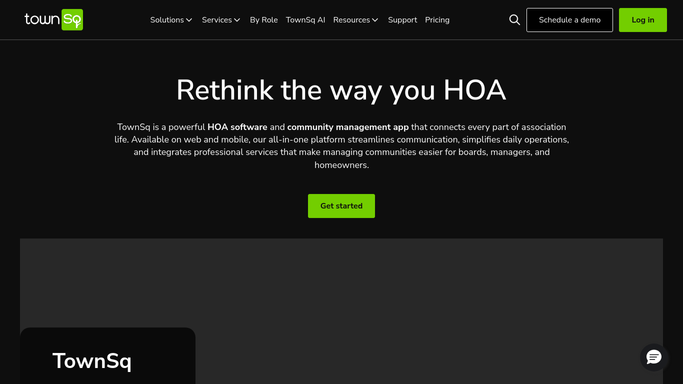
TownSq - pull new homeowner requests
townsq.io How to Automate TownSq

WebRun opens TownSq to pull new homeowner requests. - Open TownSq and filter for all new requests submitted since the last run
- Capture the requesting homeowner's name, unit, subject, and message body for each request
- Note any requests flagged as urgent by the submitter
Done when All new homeowner requests are collected with their full details.
-
2
Google Sheets - categorize and log to team queues
google.com How to Automate Google Sheets
WebRun opens Google Sheets to categorize and log to team queues. - Open the homeowner request routing tracker
- Categorize each request: maintenance, billing, violation dispute, ARC inquiry, amenity, or general
- Assign each categorized request to the appropriate team queue column: maintenance queue, accounts queue, compliance queue, or management queue
- Flag urgent requests at the top of their respective queues
- Log the date received, category, owner details, and initial status as open
Done when Every new request is categorized and logged to the correct team queue in the tracker.
-
3
Slack - post triage summary to management channel
slack.com How to Automate Slack
WebRun opens Slack to post triage summary to management channel. - Post a triage summary to the management Slack channel listing the count of new requests by category
- Call out any urgent requests by name with their queue assignment
- Include a link to the full request tracker for the team to pick up and action items
Done when The management team has a Slack triage summary for today's incoming requests.


How do I automatically triage and route HOA homeowner requests?
WebRun opens TownSq every morning, reads all new homeowner requests, and categorizes each as maintenance, billing, compliance, ARC, or general. It logs every request to the correct team queue in Google Sheets and posts a Slack triage summary with counts and urgent flags. The management team starts each day knowing exactly what arrived overnight.
- Every overnight request is categorized and queued before the team starts their day
- Urgent requests are surfaced in Slack so nothing critical waits until someone checks the portal
- The team spends time answering requests instead of sorting them
Built for HOA management companies · community association managers · property management teams · HOA boards
How is each run configured?
Secure by default
Connect once, stays signed in
WebRun signs in once and keeps each session in a persistent environment, so every run picks up right where it left off.
Every action is checked against this policy before it runs.
Questions, answered
Does it reply to homeowners automatically when their request is received?
No. This workflow handles internal triage and routing only. It categorizes requests and posts a queue summary for the management team. Staff pick up each request and respond directly through TownSq or Gmail.
How does it decide which category a request falls into?
WebRun reads the request subject and body and matches keywords and context to your configured category list. You define the categories and their routing queues at setup. Ambiguous requests are placed in the management queue for a human to reclassify.
What happens to requests that arrive during the day between runs?
The workflow runs each morning and picks up all requests since the prior run. If you want faster triage, you can set the schedule to run every few hours instead of once daily.
Related templates
Put this on autopilot.
Turn it on in minutes - or have our team set it up for you.