Draft Fast Pass and VIP upsells for standard ticket buyers
Each day, WebRun opens FEARTICKET, finds standard-admission buyers booked on nights expected to be busy, drafts a tailored Fast Pass or VIP upgrade offer for each in Klaviyo with the price difference and what they gain, logs the target list and projected upgrade revenue to Google Sheets, and holds every offer as a draft for you to approve before it sends.
- No credit card
- Under $0.01 per run
- Cancel anytime
What does WebRun do on every run?
The exact actions WebRun takes, in order - in plain language, so you can adjust anything.
-
WebRun signs in and gets to work
Opens
www.fearticket.comin a real browser with your saved login - no setup, no API keys. -
1
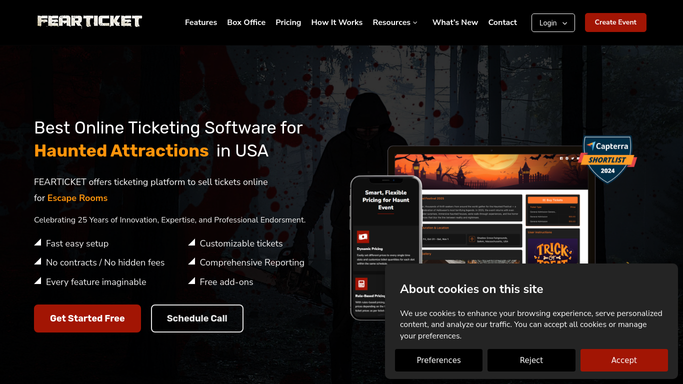
FEARTICKET - find standard buyers on busy nights
fearticket.com How to Automate FEARTICKET

WebRun opens FEARTICKET to find standard buyers on busy nights. - Open FEARTICKET and identify upcoming nights and time slots trending toward high demand
- List the standard-admission buyers on those nights with their name, email, and time slot
- Read the current Fast Pass and VIP price and availability for each of those slots
- Exclude buyers who already hold a Fast Pass or VIP ticket, and anyone opted out of marketing
Done when Standard buyers on busy nights are listed with their slot and the live upgrade prices.
-
2
Klaviyo - draft the upgrade offer
klaviyo.com How to Automate Klaviyo
WebRun drafts each Fast Pass or VIP upgrade offer in Klaviyo. - Draft a tailored upgrade offer in Klaviyo for each buyer, naming their night and the perks they gain
- Show the exact price difference to move from standard to Fast Pass or VIP for their slot
- Add a gentle line that upgrades are limited on busy nights, without inventing false scarcity
- Leave every offer as a draft. Do not send any upsell to a buyer automatically
Done when A tailored upgrade offer is drafted in Klaviyo for each targeted buyer, unsent.
-
3
Google Sheets - log the target list and revenue
google.com How to Automate Google Sheets
WebRun logs the upgrade target list and projected revenue in Google Sheets. - Open the upgrade-campaign sheet in Google Sheets
- Log the target buyers, their night and slot, the offered upgrade, and the price difference
- Total the projected upgrade revenue if a share of buyers accept so you can judge the send
Done when The target list and projected upgrade revenue are recorded in the sheet.


How do I automatically upsell Fast Pass and VIP to standard ticket buyers?
Each day, WebRun finds standard-ticket buyers on busy upcoming nights in FEARTICKET and drafts a tailored Fast Pass or VIP upgrade offer for each in Klaviyo, showing the real price difference and perks. It logs the targets and projected revenue to Google Sheets and holds every offer for your approval, so no upsell sends without you.
- Busy-night buyers see a Fast Pass or VIP offer tailored to their slot
- Projected upgrade revenue is on the sheet before you approve a send
- No upsell reaches a buyer without your approval
Built for haunted attraction owners · revenue managers · marketing managers · Halloween event operators
How is each run configured?
Secure by default
Connect once, stays signed in
WebRun signs in once and keeps each session in a persistent environment, so every run picks up right where it left off.
Every action is checked against this policy before it runs.
Questions, answered
Will it send upsell offers to buyers without me?
No. WebRun drafts each upgrade offer in Klaviyo and leaves it unsent. You review the targets and copy and approve the send, so no upsell reaches a buyer on its own. The internal Google Sheet log updates by itself since it stays in your tools.
Who gets an upgrade offer?
Standard-admission buyers booked on nights trending toward high demand get an offer, with the exact price difference for their slot. Anyone who already holds a Fast Pass or VIP ticket, or who opted out of marketing, is left out.
Does it use fake urgency to push upgrades?
No. WebRun only reflects the real Fast Pass and VIP availability and price it reads in FEARTICKET. It notes when upgrades are genuinely limited on a busy night, but it never invents false scarcity or deadlines.
Related templates
Put this on autopilot.
Turn it on in minutes - or have our team set it up for you.