Surface held tickets to release on sold-out peak nights
Each afternoon, WebRun opens FEARTICKET, finds peak nights that are sold out or nearly sold out, reviews the held, comp, and staff-hold inventory sitting on each time slot, proposes how many of those held tickets are safe to release, logs the plan to Google Sheets, and pings you in Slack to approve before anything is put back on sale.
- No credit card
- Under $0.01 per run
- Cancel anytime
What does WebRun do on every run?
The exact actions WebRun takes, in order - in plain language, so you can adjust anything.
-
WebRun signs in and gets to work
Opens
www.fearticket.comin a real browser with your saved login - no setup, no API keys. -
1
FEARTICKET - find sold-out nights and held inventory
fearticket.com How to Automate FEARTICKET

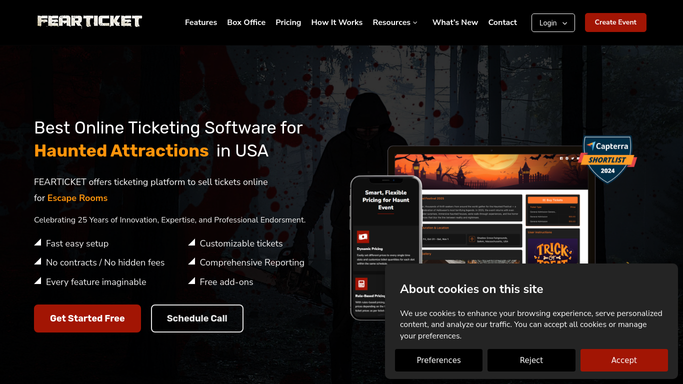
WebRun opens FEARTICKET to find sold-out nights and their held inventory. - Open FEARTICKET and list upcoming peak nights that are sold out or within a few tickets of it
- For each night, read the held, comp, and staff-hold inventory sitting on every time slot
- Note how many held tickets remain unclaimed close to the event and which slots have the most demand pressure
- Do not release or unhold any inventory in FEARTICKET on your own. Leave every change for a person to apply
Done when Held inventory and demand pressure are captured for each sold-out peak night and slot.
-
2
Google Sheets - log the proposed release
google.com How to Automate Google Sheets
WebRun logs the proposed release and buffer in Google Sheets. - Open the inventory-release planning sheet in Google Sheets
- Log each sold-out night and slot with the held count and a proposed number safe to release
- Leave a buffer for staff, press, and guest-list holds so those are never proposed for release
- Show the extra revenue each proposed release could unlock at the slot's current price
Done when A proposed release per slot, with a held-back buffer, is recorded in the sheet.
-
3
Slack - ask you to approve the release
slack.com How to Automate Slack
WebRun posts the release plan to Slack and waits for your approval. - Post the proposed release plan to your Slack channel, ranked by the nights closest to selling out
- Show each slot's held count, the number proposed to release, and the revenue it could unlock
- Ask you to approve, adjust, or skip. Only apply a release in FEARTICKET after you say yes
Done when You have the release plan in Slack and can approve or adjust before any tickets go on sale.


How do I safely release held tickets on sold-out haunted house nights?
Each afternoon, WebRun finds sold-out peak nights in FEARTICKET, reviews the held and comp inventory on every time slot, and proposes how much is safe to release while keeping a buffer for staff and press. It logs the plan to Google Sheets and pings you in Slack, so tickets go back on sale only after you approve the release.
- Unclaimed held tickets on sold-out nights turn into extra sellable inventory
- Staff, press, and guest-list holds are always protected by a buffer
- No ticket goes back on sale without your approval
Built for haunted attraction owners · revenue managers · box office managers · Halloween event operators
How is each run configured?
Secure by default
Connect once, stays signed in
WebRun signs in once and keeps each session in a persistent environment, so every run picks up right where it left off.
Every action is checked against this policy before it runs.
Questions, answered
Will it put tickets back on sale without me?
No. WebRun never releases or unholds inventory in FEARTICKET on its own. It proposes a per-slot release in Sheets and Slack, and you approve, adjust, or skip. Tickets go back on sale only after you apply the change yourself.
How does it avoid releasing staff or press holds?
WebRun always leaves a buffer for staff, press, and guest-list holds, so those are never counted in a proposed release. It only suggests unclaimed held tickets that are safe to sell as the night approaches.
How does it decide how much is safe to release?
WebRun looks at each slot's held count, how close the night is, and the demand pressure on that slot in FEARTICKET, then proposes a conservative number and shows the revenue it could unlock so you can judge each one.
Related templates
Put this on autopilot.
Turn it on in minutes - or have our team set it up for you.