Catch storms early and draft delay notices for affected slots
Through each event day, WebRun checks the National Weather Service forecast for your location, flags any storm or severe weather crossing tonight's operating hours, looks up which FEARTICKET time slots fall in that window, and drafts a delay-or-close notice in Twilio for the affected holders that a manager approves before anything sends.
- No credit card
- Under $0.01 per run
- Cancel anytime
What does WebRun do on every run?
The exact actions WebRun takes, in order - in plain language, so you can adjust anything.
-
WebRun signs in and gets to work
Opens
www.weather.govin a real browser with your saved login - no setup, no API keys. -
1
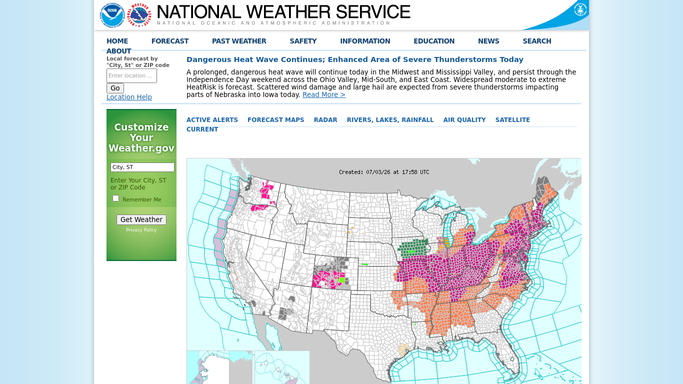
National Weather Service - watch for storms over event hours
weather.gov

WebRun checks the National Weather Service for storms over event hours. - Open the National Weather Service forecast and alerts for your venue's location
- Read the hourly forecast across tonight's operating window for storms, lightning, or severe wind
- Note the start and end time of any hazardous weather that overlaps the event hours
Done when Any severe weather crossing tonight's operating hours is identified with its timing.
-
2
FEARTICKET - find the affected time slots
fearticket.com How to Automate FEARTICKET
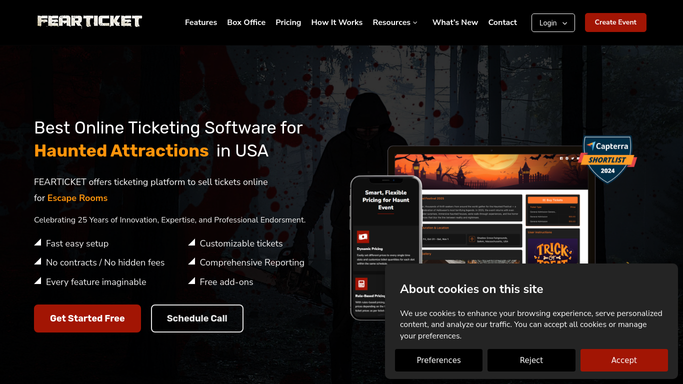
WebRun opens FEARTICKET to find the time slots the storm affects. - Open FEARTICKET and list tonight's time slots with their start times and holder counts
- Match the hazardous weather window to the time slots that fall inside it
- Capture the holders in those at-risk slots with their names and mobile numbers
- Do not change slot status in FEARTICKET on your own. Leave any close or delay for a manager to apply
Done when The at-risk time slots and their holders are listed for the manager to decide on.
-
3
Twilio - draft delay or close notices
twilio.com How to Automate Twilio
WebRun drafts delay-or-close notices in Twilio and queues them for approval. - Draft a clear delay-or-close notice in Twilio for each holder in the affected slots
- Offer the manager two versions to choose from: a short delay with a new window, or a rain-check option
- Queue the messages unsent. Do not send any weather notice to a holder automatically
- Include a summary for the manager of which slots and how many holders each version would reach
Done when Delay-or-close notices are queued in Twilio for the affected holders, awaiting manager approval.

How do I automatically warn ticket holders when a storm hits an event slot?
Every hour on event days, WebRun checks the National Weather Service for storms crossing your operating hours, then finds which FEARTICKET time slots fall in that window and drafts delay-or-close notices in Twilio for the affected holders. A manager decides whether to delay or close and approves the messages, so nothing changes or sends unattended.
- Storm-affected slots are spotted hours ahead, not at the gate
- Holders get a clear delay or rain-check option once a manager approves
- No slot is closed and no holder is texted without a human decision
Built for haunted attraction owners · event operations managers · outdoor event operators · Halloween event operators
How is each run configured?
Secure by default
Connect once, stays signed in
WebRun signs in once and keeps each session in a persistent environment, so every run picks up right where it left off.
Every action is checked against this policy before it runs.
Questions, answered
Will it close slots or text holders without me?
No. WebRun never changes a slot's status in FEARTICKET and never sends a weather notice on its own. It lists the at-risk slots and queues draft notices in Twilio, then a manager decides to delay or close and releases the messages.
How does it decide which slots are affected?
WebRun reads the National Weather Service hourly forecast for your location, finds the window when severe weather overlaps your operating hours, and matches that window to the FEARTICKET time slots inside it, so only genuinely at-risk slots are flagged.
What weather source does it use?
WebRun uses the National Weather Service forecast and alerts for your venue's location. You can tell it which thresholds matter to you, such as lightning within a set distance or sustained wind over a chosen speed.
Related templates
Put this on autopilot.
Turn it on in minutes - or have our team set it up for you.