Flag GoTab refund exceptions before they go unreviewed
Every morning, WebRun scans GoTab for all refunds processed the prior day, identifies any that exceed your dollar threshold or are missing a reason code, and logs the exceptions into a Google Sheet for your manager to review before the business day begins.
- No credit card
- Under $0.01 per run
- Cancel anytime
How do I automatically catch unusual or unexplained GoTab refunds every day?
WebRun scans GoTab every morning for all refunds processed the prior day, flags any that exceed your dollar threshold or are missing a reason code, and logs the exceptions in a Google Sheet for manager review. Patterns like repeated refunds from the same server are visible before they become a larger problem.
- Refund exceptions surface every morning before the business day starts
- Over-threshold and missing-reason-code refunds logged separately for easy triage
- Per-server refund frequency trends tracked weekly in Google Sheets
Built for bar managers · brewery operators · food hall managers · hospitality finance controllers
What does WebRun do on every run?
The exact actions WebRun takes, in order - in plain language, so you can adjust anything.
-
WebRun signs in and gets to work
Opens
gotab.comin a real browser with your saved login - no setup, no API keys. -
1
GoTab - pull and review all prior-day refunds
gotab.com How to Automate GoTab
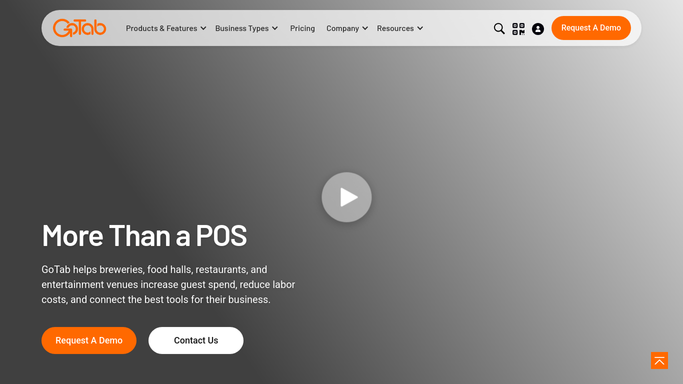
WebRun opens GoTab to pull and review all prior-day refunds. - Open GoTab Operator Portal and navigate to the Refunds report
- Set the date filter to yesterday and pull all processed refunds
- Flag any refund above the configured dollar threshold
- Flag any refund missing a reason code or employee note
- Note the server, amount, original tab, and timestamp for each flagged refund
Done when All out-of-policy refunds are identified with server and transaction details.
-
2
Google Sheets - log refund exceptions for manager review
google.com How to Automate Google Sheets

WebRun opens Google Sheets to log refund exceptions for manager review. - Append each flagged refund as a new row in the exceptions log sheet with date, server, amount, reason code, and flag type
- Highlight rows with missing reason codes in a different color from over-threshold refunds
- Update the weekly total row so the manager can track refund volume trends
Done when All refund exceptions are logged in Google Sheets and the weekly trend row is updated.
How is each run configured?
Secure by default
Connect once, stays signed in
WebRun signs in once and keeps each session in a persistent environment, so every run picks up right where it left off.
Every action is checked against this policy before it runs.
Questions, answered
How does it decide which refunds to flag?
It flags any refund exceeding the dollar threshold you configure and any refund with a blank or missing reason code, regardless of amount.
Does it take any action on the employee automatically?
No. WebRun only logs and highlights exceptions for manager review. Any follow-up with staff is a human decision made after reviewing the sheet.
Can it catch refunds issued by a specific server more than a set number of times?
Yes. Configure a per-server frequency threshold and WebRun will flag any server who has issued more than that number of refunds in the prior 7 days.
Related templates
Put this on autopilot.
Turn it on in minutes - or have our team set it up for you.