Start every day with the same written briefing
Each weekday morning, WebRun opens Google Gemini, runs the standing research prompts you saved for your market, competitors and product area, collects the written answers, files them as a dated brief in Google Drive, and posts the three key points with a link to the full document in your Slack channel.
- No credit card
- Under $0.01 per run
- Cancel anytime
How do I get an AI research brief delivered every morning?
Every weekday morning WebRun opens Google Gemini, runs your standing research prompts on the topics and competitors you track, and saves the written brief to a dated Google Drive doc. It then posts the three key points to Slack, so the team starts the day with the same briefing.
- The whole team reads the same briefing before standup
- Every brief is archived and searchable in Drive
- Sources travel with each point so claims can be checked
Built for founders · product managers · strategy teams · marketing teams
What does WebRun do on every run?
The exact actions WebRun takes, in order - in plain language, so you can adjust anything.
-
WebRun signs in and gets to work
Opens
gemini.google.comin a real browser with your saved login - no setup, no API keys. -
1
Google Gemini - run your standing prompts
gemini.google.com
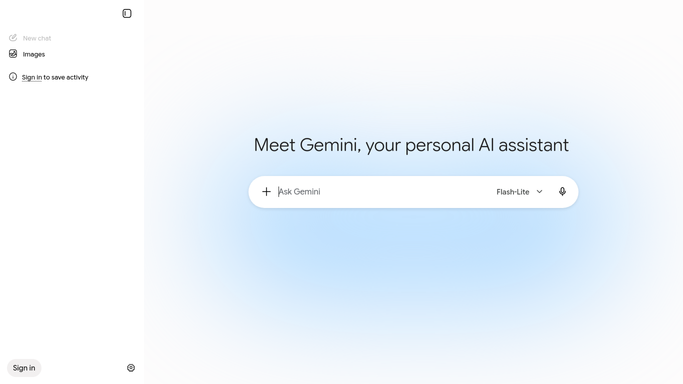
WebRun opens Google Gemini to run your standing prompts. - Open Google Gemini and start a fresh chat
- Run each standing prompt on your list, one per topic you track
- Ask for sources or references in each answer so the brief can be checked
- Collect the written responses in the order your prompts are listed
- Note any prompt that returned nothing useful so you can rewrite it
Done when Every standing prompt has been run and its answer collected.
-
2
Google Drive - file the dated brief
drive.google.com How to Automate Google Drive

WebRun opens Google Drive to file the dated brief. - Create a dated document in your Briefings folder in Google Drive
- Write each topic as a heading with its answer and any sources underneath
- Add a header noting the brief was generated by Gemini and on which date, so nobody treats it as verified fact
- Keep every previous day in the folder so the series can be read back
Done when Today's brief is filed in Drive with sources and a clear generation note.
-
3
Slack - post the key points
slack.com How to Automate Slack

WebRun opens Slack to post the key points. - Post the three most useful points from today's brief to your team channel
- Keep each point to one sentence a person can read on a phone
- Link the full document in Drive underneath
- Say plainly that the brief is AI generated and worth checking before anyone acts on it
Done when The team channel has today's key points and a link to the full brief.
How is each run configured?
Secure by default
Connect once, stays signed in
WebRun signs in once and keeps each session in a persistent environment, so every run picks up right where it left off.
Every action is checked against this policy before it runs.
Questions, answered
Is the brief guaranteed to be accurate?
No, and it says so. Every brief carries a note that it was generated by Gemini, each answer asks for sources, and the Slack post reminds the team to check before acting. Treat it as a starting point, not a verified report.
Does it send anything outside my team?
No. The brief is saved to a Drive folder you control and the summary goes to your internal Slack channel. Nothing is emailed, published or shared externally.
Can I change the prompts?
Yes. The standing prompts are a list you own, so adding a competitor, dropping a topic or rewording a question changes tomorrow's brief with no other setup.
Related templates
Put this on autopilot.
Turn it on in minutes - or have our team set it up for you.