Surface new company docs before they're missed
Every morning, WebRun opens Glean, searches for documents added or updated in Google Drive in the last day, groups them by team and topic, and posts a short digest to Slack so nobody misses new company knowledge.
- No credit card
- Under $0.01 per run
- Cancel anytime
What does WebRun do on every run?
The exact actions WebRun takes, in order - in plain language, so you can adjust anything.
-
WebRun signs in and gets to work
Opens
glean.comin a real browser with your saved login - no setup, no API keys. -
1
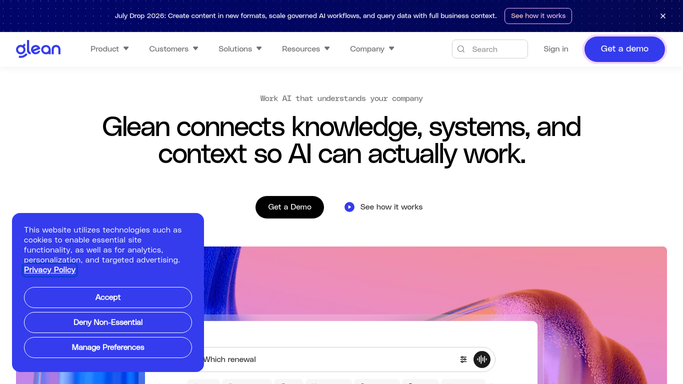
Glean - search for new and updated docs
glean.com

WebRun opens Glean to search for new and updated docs. - Open Glean and search content updated in the last 24 hours
- Filter to documents tagged to active teams and projects
- Group results by topic and note each document's title and owner
Done when Every document updated since yesterday is listed with its owner.
-
2
Google Drive - confirm ownership and access
drive.google.com How to Automate Google Drive
WebRun opens Google Drive to confirm ownership and access. - Open Google Drive and confirm each document's sharing permissions
- Drop any file that is private or restricted to one person
- Attach a direct link for each document that is safe to share
Done when Every digest item has a working link that the team is allowed to open.
-
3
Slack - post the daily digest
slack.com How to Automate Slack
WebRun opens Slack to post the daily digest. - Post the grouped list to the team's knowledge channel
- Put the most-referenced or highest-priority docs first
- Leave the message as an internal digest only
Done when The team has today's new-knowledge digest in Slack.


How do I get a daily digest of new company documents?
WebRun searches Glean every morning for documents added or updated across Google Drive in the last day, checks each one's sharing permissions, and posts a grouped Slack digest with links. Teams start the day knowing what changed instead of missing new specs, launch docs, and policies buried in Drive.
- New company knowledge reaches the team the same day it lands
- No one has to manually check Drive for what changed
- Private and restricted files are automatically excluded
Built for Knowledge management teams · operations · IT teams · fast-growing startups
How is each run configured?
Secure by default
Connect once, stays signed in
WebRun signs in once and keeps each session in a persistent environment, so every run picks up right where it left off.
Every action is checked against this policy before it runs.
Questions, answered
Does it change any document permissions?
No. WebRun only reads sharing status in Google Drive to decide what is safe to link. It never changes who can access a file.
Will private or restricted files show up in the digest?
No. Any document that is private or limited to one person is dropped before the digest is posted.
Can it post to more than one Slack channel?
Yes. Point it at any channel, and it can post separate digests for different teams if you set up more than one run.
Related templates
Put this on autopilot.
Turn it on in minutes - or have our team set it up for you.