Resurface customers who went quiet after your reply
Every morning, WebRun opens Front, finds the conversations where your team replied and the customer never came back, records them in Airtable with the owner and the last message date, and files a nudge list with a drafted follow-up per thread in Google Drive for you to approve.
- No credit card
- Under $0.01 per run
- Cancel anytime
How do I find customer emails that went quiet after we replied?
WebRun sweeps your Front shared inboxes every morning for conversations where your team replied and the customer never came back. It logs each thread in Airtable with the owner and days silent, then files a nudge list in Google Drive with a drafted follow-up per thread, so a quiet customer is a choice.
- Silent threads resurface after three days instead of never
- Every quiet conversation carries an owner and a drafted follow-up
- Follow-ups already sent are counted, so nobody is nudged twice in a week
Built for account managers · support teams · sales teams · agencies
What does WebRun do on every run?
The exact actions WebRun takes, in order - in plain language, so you can adjust anything.
-
WebRun signs in and gets to work
Opens
app.frontapp.comin a real browser with your saved login - no setup, no API keys. -
1
Front - find threads that went quiet
front.com
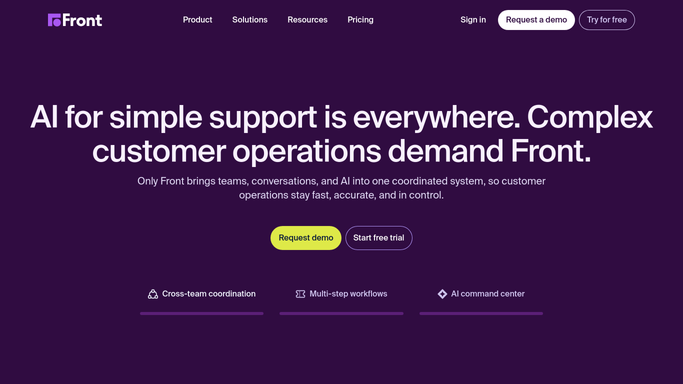
WebRun opens Front to find threads that went quiet. - Open Front and go through your shared inboxes
- Find conversations where the last message is an outbound reply from your team
- Keep the ones with no customer response after your quiet threshold, commonly 3 days
- Capture the contact, the assignee, the tags, the inbox, and the date of your last message
Done when Every conversation waiting on a customer reply is listed with its age and owner.
-
2
Airtable - log them by owner
airtable.com How to Automate Airtable

WebRun opens Airtable to log them by owner. - Add or update a row per quiet conversation with the contact, owner, and days silent
- Record the topic in a short line so the thread needs no reopening to understand
- Count how many follow-ups have already gone out on that thread
- Close rows once the customer replies or the conversation is archived in Front
Done when The Airtable list matches the conversations currently waiting on a customer.
-
3
Google Drive - file the drafted follow-ups
drive.google.com How to Automate Google Drive

WebRun opens Google Drive to file the drafted follow-ups. - Write today's nudge list to a doc in your team folder, grouped by owner
- Put the oldest silent thread first with the days since your last message
- Draft a short, friendly follow-up under each thread for the owner to adapt
- Leave every follow-up unsent. WebRun never emails a customer from Front on its own
Done when The nudge list and its drafted follow-ups are filed in Drive.
How is each run configured?
Secure by default
Connect once, stays signed in
WebRun signs in once and keeps each session in a persistent environment, so every run picks up right where it left off.
Every action is checked against this policy before it runs.
Questions, answered
Will it email customers a follow-up on its own?
No. Every follow-up is drafted into the Drive doc and left unsent. The owner reads it, adapts it, and sends it from Front themselves, so no customer hears from an unattended run.
How long is quiet?
Three days with no customer reply by default, counted from your team's last outbound message. Set a different threshold per inbox and the next run follows it.
Does it change anything inside Front?
No. WebRun reads conversations only. Archiving, snoozing, reassigning, or tagging a thread stays with the teammate who owns it.
Related templates
Put this on autopilot.
Turn it on in minutes - or have our team set it up for you.