Run the pre-release checks before you publish
Whenever you are about to publish, WebRun opens the FlutterFlow project you name, checks its settings, app icon, version and any test configuration still switched on, posts a pass or fail list to Slack, and sends the go or no go call to Telegram.
- No credit card
- Under $0.01 per run
- Cancel anytime
How do I check a FlutterFlow app is ready to publish?
Run WebRun before you publish and it opens FlutterFlow on the project you name, works through the release checklist covering app settings, icon, version and anything left in test mode, then posts a pass or fail list to Slack and sends the go or no go call to Telegram.
- A missing icon or leftover test setting is caught before the store sees it
- Every release has a written pass or fail record tied to a build number
- The team gets one go or no go message instead of a manual sweep
Built for no-code builders · app agencies · product teams · solo founders
What does WebRun do on every run?
The exact actions WebRun takes, in order - in plain language, so you can adjust anything.
-
WebRun signs in and gets to work
Opens
app.flutterflow.ioin a real browser with your saved login - no setup, no API keys. -
1
FlutterFlow - run the pre-release checks
flutterflow.io
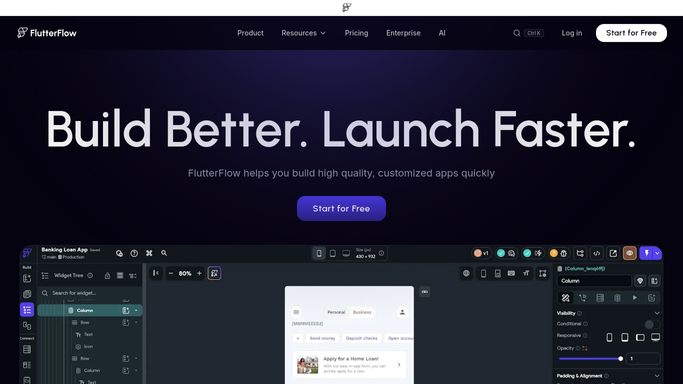
WebRun opens FlutterFlow to run the pre-release checks. - Open FlutterFlow and go to the project you named for this release
- Check the app settings: display name, package identifier, version number and build number
- Confirm the app icon and launch image are set at the sizes each store expects
- Look for test or development configuration still switched on, and for placeholder values left in settings
- Read the deployment history to see what was last published and when
Done when Every item on the release checklist is marked pass or fail with the reason.
-
2
Slack - post the pass or fail list
slack.com How to Automate Slack

WebRun opens Slack to post the pass or fail list. - Post the full checklist to the build channel with failures at the top
- Name the exact setting behind each failure so the fix is one click
- Include the version number and build number the checks were run against
Done when The team has the release checklist in Slack with every failure named.
-
3
Telegram - send the go or no go
telegram.org How to Automate Telegram

WebRun opens Telegram to send the go or no go. - Send a one-line verdict: clear to publish, or blocked with the count of failures
- Keep the version number in the message so the run can be matched to a build later
- Leave publishing to a person. WebRun never deploys, publishes, or submits the app
Done when The go or no go call is in Telegram before anyone hits publish.
How is each run configured?
Secure by default
Connect once, stays signed in
WebRun signs in once and keeps each session in a persistent environment, so every run picks up right where it left off.
Every action is checked against this policy before it runs.
Questions, answered
Will it publish the app for me?
No. WebRun only reads your FlutterFlow project settings and reports what is wrong. It never deploys, publishes, submits to a store, or changes a setting, so shipping stays a human decision.
What does it actually check?
App name, package identifier, version and build number, the app icon and launch image, placeholder values left in settings, test configuration still enabled, and what was last deployed.
Can I run it on one project only?
Yes. You name the project when you start the run, so it checks that project alone rather than sweeping everything in your account.
Related templates
Put this on autopilot.
Turn it on in minutes - or have our team set it up for you.