Renew fire monitoring contracts before they lapse
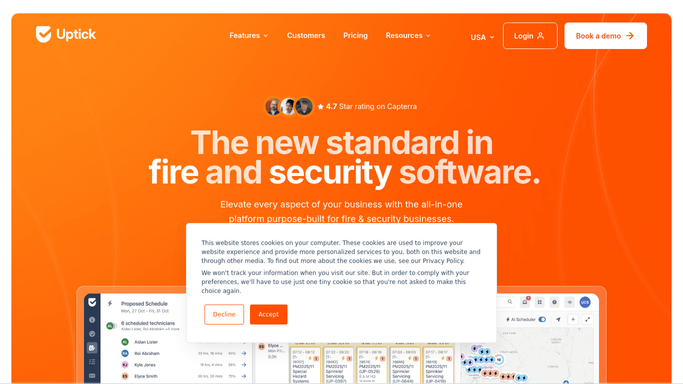
Every morning, WebRun opens Uptick, finds monitoring and inspection agreements expiring in the next 60 days, checks each account's standing in QuickBooks, and drafts a renewal email per customer, leaving every message unsent for you to review and send.
- No credit card
- Under $0.01 per run
- Cancel anytime
What does WebRun do on every run?
The exact actions WebRun takes, in order - in plain language, so you can adjust anything.
-
WebRun signs in and gets to work
Opens
app.uptickhq.comin a real browser with your saved login - no setup, no API keys. -
1
Uptick - find expiring agreements
uptickhq.com How to Automate Uptick

WebRun finds monitoring and inspection agreements nearing expiry. - Open Uptick and filter service agreements to those expiring within 60 days
- Capture the customer, covered assets, contract value, and end date for each
- Note the current scope so the renewal reflects the right services
Done when Every agreement expiring this window is listed with its customer and scope.
-
2
QuickBooks - check account standing
- Look up each customer's account in QuickBooks
- Read their current balance and any overdue invoices
- Flag accounts in arrears so you can decide before renewing
Done when Each expiring agreement has its customer's account standing attached.
-
3
Gmail - draft the renewal email
gmail.com How to Automate Gmail
WebRun drafts each renewal email and leaves it unsent for review. - Draft a renewal email per customer with the covered assets, term, and price
- Note any outstanding balance internally so you can decide how to handle it
- Leave every email as an unsent draft for you to review and send
Done when A renewal email is drafted and waiting for review for each expiring agreement.

How do I renew fire monitoring contracts before they expire?
WebRun finds monitoring and inspection agreements expiring within 60 days in Uptick each morning and checks each customer's balance in QuickBooks. It drafts a renewal email per customer with the covered assets, term, and price, then leaves it unsent for you to review, so no service contract lapses and no renewal goes out unapproved.
- Expiring agreements surface 60 days out, protecting recurring revenue
- Each renewal is drafted with scope and price, ready to review
- Accounts in arrears are flagged before a renewal is offered
Built for fire protection contractors · alarm monitoring firms · account managers · service sales teams
How is each run configured?
Secure by default
Connect once, stays signed in
WebRun signs in once and keeps each session in a persistent environment, so every run picks up right where it left off.
Every action is checked against this policy before it runs.
Questions, answered
Will it email renewals to customers on its own?
No. WebRun drafts each renewal email and leaves it unsent for you to review. You confirm the scope, price, and account standing before anything reaches a customer.
How does it know a contract is expiring?
It reads each service agreement's end date in Uptick every morning, so any monitoring or inspection contract expiring within 60 days is surfaced with a drafted renewal automatically.
Does it consider whether the account is paid up?
Yes. It pulls each customer's balance and overdue invoices from QuickBooks and flags accounts in arrears, so you can decide how to handle a renewal before it goes out.
Related templates
Put this on autopilot.
Turn it on in minutes - or have our team set it up for you.