Track eLearning completion rates across your entire patient panel
Every Monday, WebRun opens EngagedMD's Learn dashboard, reads the module completion status for every active patient, updates a Google Sheet with each patient's progress and outstanding modules, and posts a weekly summary to the clinical team's Slack channel so education gaps can be addressed before treatment milestones.
- No credit card
- Under $0.01 per run
- Cancel anytime
What does WebRun do on every run?
The exact actions WebRun takes, in order - in plain language, so you can adjust anything.
-
WebRun signs in and gets to work
Opens
app.engagedmd.comin a real browser with your saved login - no setup, no API keys. -
1
EngagedMD - read Learn module completion status for all active patients
engagedmd.com How to Automate EngagedMD

WebRun opens EngagedMD to read Learn module completion status for all active patients. - Open EngagedMD and navigate to the Learn completion dashboard
- Export or read the completion status for each active patient's assigned modules
- Capture patient ID, module name, completion percentage, and last activity date for each
Done when All active patients have a current completion record extracted from EngagedMD.
-
2
Google Sheets - update patient completion records with this week's progress
google.com How to Automate Google Sheets
WebRun opens Google Sheets to update patient completion records with this week's progress. - Open the eLearning completion tracker sheet
- Update each patient row with this week's completion percentage and outstanding modules
- Add a column marking patients who are at 100% completion and those who have not started
Done when The Google Sheet reflects current eLearning completion for all active patients.
-
3
Slack - post weekly eLearning completion summary to clinical channel
slack.com How to Automate Slack
WebRun opens Slack to post weekly eLearning completion summary to clinical channel. - Post a weekly summary to the clinical Slack channel with overall completion rate
- List the number of patients fully complete, in progress, and not yet started
- Flag any patients who have not touched their modules in over seven days
Done when The clinical team has this week's eLearning completion summary in Slack.
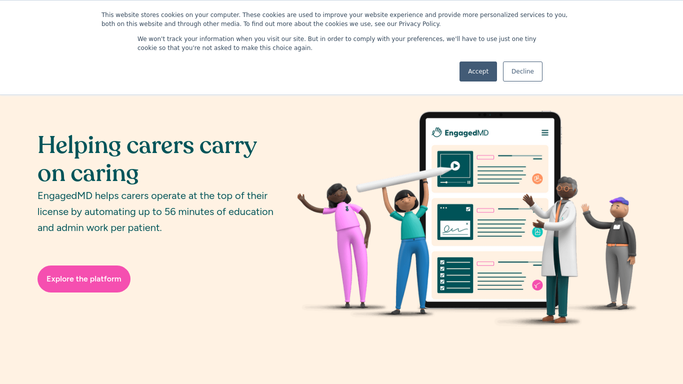


How do I automatically track EngagedMD eLearning completion across my entire fertility patient panel?
Every Monday, WebRun reads EngagedMD's Learn dashboard and extracts the current completion percentage for every active patient across all assigned modules. It updates a Google Sheet with each patient's progress and posts a clinical Slack summary highlighting overall completion rates, stalled patients, and those who have not yet started their education.
- Clinical team has a real-time view of eLearning completion every Monday
- Patients who have not started are flagged before their next treatment milestone
- No manual dashboard checking needed to see the full patient education picture
Built for fertility clinic coordinators · IVF clinical educators · reproductive health practice managers
How is each run configured?
Secure by default
Connect once, stays signed in
WebRun signs in once and keeps each session in a persistent environment, so every run picks up right where it left off.
Every action is checked against this policy before it runs.
Questions, answered
Will it nudge patients who haven't started their modules?
No. WebRun flags these patients in the Slack summary and Google Sheet for the clinical team to review. Any patient outreach must be initiated by a coordinator, not by WebRun.
Does it track all module types or just the main ones?
It reads all EngagedMD Learn modules assigned to each patient, including treatment education, genetic testing, and financial modules, giving a complete picture of education progress.
What if we add new patients during the week?
New patients added mid-week appear in the following Monday run. For immediate onboarding checks, the fertility-new-patient-onboarding-kickoff template runs on registration.
Related templates
Put this on autopilot.
Turn it on in minutes - or have our team set it up for you.