Shut down the masked addresses attracting spam
Every Monday, WebRun signs in to Fastmail, lists your masked email addresses and aliases, counts the messages each received last week and which senders they came from, flags the addresses now taking mail from senders you never signed up with, logs the review in Notion, and posts the shortlist to Microsoft Teams.
- No credit card
- Under $0.01 per run
- Cancel anytime
How do I find which masked email address is leaking to spammers?
WebRun reviews your Fastmail masked addresses every Monday, counting last week's messages on each and reading which senders they came from. It flags addresses now receiving mail from sites you never signed up with, logs the review in Notion, and posts the shortlist to Microsoft Teams for you to act on.
- You learn which site leaked your address, not just that spam arrived
- One address gets switched off instead of the whole inbox filtered
- Dormant aliases are named as retire candidates each week
Built for privacy-conscious users · freelancers · IT admins · security teams
What does WebRun do on every run?
The exact actions WebRun takes, in order - in plain language, so you can adjust anything.
-
WebRun signs in and gets to work
Opens
app.fastmail.comin a real browser with your saved login - no setup, no API keys. -
1
Fastmail - review masked address activity
fastmail.com
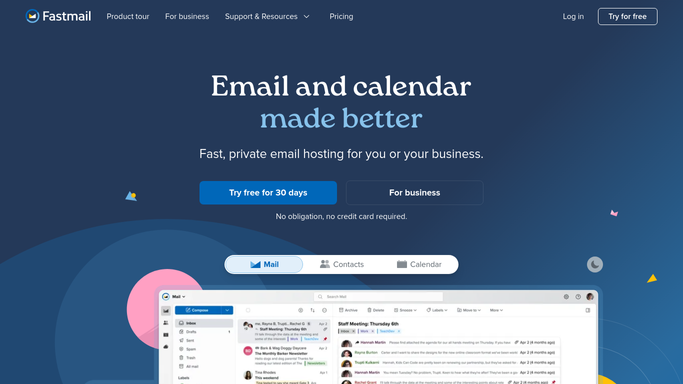
WebRun opens Fastmail to review masked address activity. - Sign in to Fastmail and list your masked email addresses and aliases with the site each was created for
- Count the messages each address received last week and compare it against its usual volume
- Read the sending domains behind each address and flag any that do not match the site it was made for
- Flag addresses whose volume has climbed sharply, since that is usually how a leak shows up
- Note which addresses have received nothing for months and are candidates to retire
- Check the rules pointing at each address, so switching one off does not break a filter you rely on
- Leave every address active. WebRun never disables an address or deletes mail
Done when Every masked address has last week's volume, its senders, and a flag where mail is coming from somewhere unexpected.
-
2
Notion - log the review
notion.so How to Automate Notion

WebRun opens Notion to log the review. - Open your inbox hygiene database in Notion and keep a row per masked address
- Record the site it was created for, last week's volume, the sending domains seen, and any mismatch
- Tag each row keep, watch, or retire, so the decision is recorded rather than remade every week
- Keep the weekly history so a slow climb in volume is visible before it becomes a flood
Done when Notion holds a tagged row per masked address with its volume history.
-
3
Microsoft Teams - post the shortlist
microsoft.com How to Automate Microsoft Teams

WebRun opens Microsoft Teams to post the shortlist. - Post the shortlist to your own Microsoft Teams channel: addresses to consider switching off, worst first
- Show the site each was created for next to the senders actually using it, so a leak is obvious
- List dormant addresses underneath as retire candidates
- Leave every decision to you. Switching an address off happens in Fastmail, by hand
Done when The channel has this week's shortlist with leaks and dormant addresses separated.
How is each run configured?
Secure by default
Connect once, stays signed in
WebRun signs in once and keeps each session in a persistent environment, so every run picks up right where it left off.
Every action is checked against this policy before it runs.
Questions, answered
Will it disable addresses or delete mail?
No. WebRun reads volume and senders and builds a shortlist. Switching a masked address off, deleting a message, or changing a rule stays with you inside Fastmail.
How does it tell a leak from normal mail?
It compares the sending domains reaching an address against the site the address was created for. Mail arriving from somewhere you never signed up with is flagged as a mismatch.
Will switching an address off break my filters?
It checks which rules point at each address first and says so on the shortlist, so you can update a filter before retiring the address it depends on.
Related templates
Put this on autopilot.
Turn it on in minutes - or have our team set it up for you.