File every receipt out of your inbox each night
Every night, WebRun opens your Excite mailbox, reads the day's inbox messages, identifies receipts and invoices by sender and subject line, saves their attachments, moves each into your receipts folder, posts a dated log to Slack, and sends you a Telegram total.
- No credit card
- Under $0.01 per run
- Cancel anytime
How do I automatically file receipts out of my email inbox?
WebRun files your receipts every night. It reads the day's Excite inbox, picks out receipts and invoices by sender and subject, saves the attachments, moves each message into your receipts folder, posts a dated log with merchants and amounts to Slack, and sends the running total to Telegram.
- Receipts are filed and listed the day they arrive
- Tax time starts from a log instead of a year of mail
- Nothing is deleted or replied to without a human
Built for freelancers · small business owners · sole traders · bookkeepers
What does WebRun do on every run?
The exact actions WebRun takes, in order - in plain language, so you can adjust anything.
-
WebRun signs in and gets to work
Opens
excite.comin a real browser with your saved login - no setup, no API keys. -
1
Excite Mail - pull receipts out of the inbox
excite.com
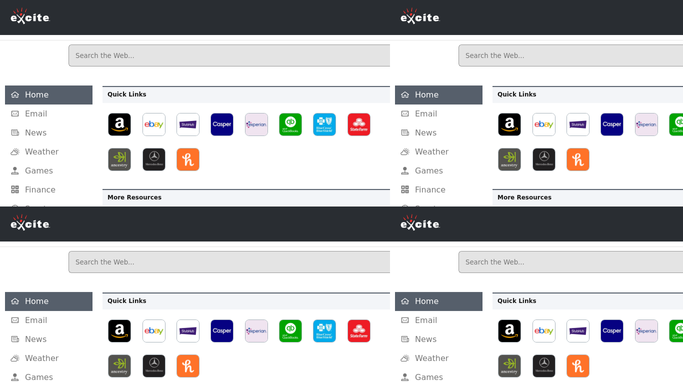
WebRun opens Excite Mail to pull receipts out of the inbox. - Open your Excite mailbox and read today's inbox messages
- Identify receipts and invoices from the sender and the subject line
- Capture the merchant, the date, and the amount stated in each message
- Save any PDF or image attachment that carries the receipt
- Move each filed message into your receipts folder so the inbox clears
- Never delete a message and never reply to anyone. WebRun files, it does not remove
Done when Every receipt and invoice from today's mail is filed with its merchant, date, and amount.
-
2
Slack - post the nightly receipt log
slack.com How to Automate Slack

WebRun opens Slack to post the nightly receipt log. - Post a dated log listing each receipt with merchant, date, and amount
- Group them by category so the monthly picture builds up night by night
- Flag any message that looked like a receipt but had no readable amount
Done when Tonight's receipts are listed in Slack with amounts and merchants.
-
3
Telegram - send you the running total
telegram.org How to Automate Telegram

WebRun opens Telegram to send you the running total. - Send a one line Telegram note with tonight's receipt count and total
- Add the month to date total so spending stays visible
- Stay quiet on a night with no receipts
Done when You know what was filed tonight without opening the mailbox.
How is each run configured?
Secure by default
Connect once, stays signed in
WebRun signs in once and keeps each session in a persistent environment, so every run picks up right where it left off.
Every action is checked against this policy before it runs.
Questions, answered
Does it delete or reply to any mail?
No. WebRun only moves receipt messages into a folder you choose. It never deletes a message, never replies, and never forwards anything, so nothing leaves your mailbox on its own.
How does it tell a receipt from ordinary mail?
It reads the sender and the subject line for the usual receipt and invoice patterns, then confirms by finding an amount in the message body or attachment. Anything ambiguous is flagged rather than filed.
What happens to the attachments?
The PDF or image on each receipt is saved alongside the log entry, so at tax time the file and the amount sit together instead of buried in a year of mail.
Related templates
Put this on autopilot.
Turn it on in minutes - or have our team set it up for you.