Send yourself a nightly EVS productivity digest
Every night at 8 PM, WebRun opens FacilityRF's productivity dashboard, pulls each housekeeper's rooms cleaned and average minutes per room, logs the results to Google Sheets, and sends the EVS director a Microsoft Teams digest with the facility average and any notable outliers.
- No credit card
- Under $0.01 per run
- Cancel anytime
What does WebRun do on every run?
The exact actions WebRun takes, in order - in plain language, so you can adjust anything.
-
WebRun signs in and gets to work
Opens
facilityrf.comin a real browser with your saved login - no setup, no API keys. -
1
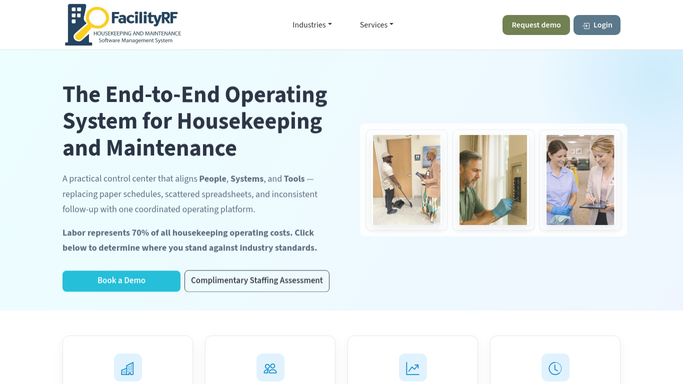
FacilityRF - pull today's productivity per housekeeper
facilityrf.com How to Automate FacilityRF

WebRun opens FacilityRF to pull today's productivity per housekeeper. - Open FacilityRF's productivity dashboard and pull today's completed rooms for every housekeeper on shift
- Calculate rooms cleaned, average minutes per room, and compare each against their target
- Note any housekeeper who finished the day well above or below target
Done when Every housekeeper on shift has today's room count and average time captured.
-
2
Google Sheets - log rooms cleaned and time per room
google.com How to Automate Google Sheets
WebRun opens Google Sheets to log rooms cleaned and time per room. - Open the Staff Productivity Log
- Append a row for each housekeeper with rooms cleaned, average minutes per room, and variance from target
Done when Today's productivity is logged for every housekeeper on shift.
-
3
Microsoft Teams - send the director today's digest
microsoft.com How to Automate Microsoft Teams
WebRun opens Microsoft Teams to send the director today's digest. - Post today's digest to the EVS director with the facility average and the names of anyone notably above or below target
Done when The EVS director has today's productivity digest in Teams.


How do I get a daily digest of EVS staff productivity?
Every night at 8, WebRun pulls each housekeeper's completed rooms and average minutes per room from FacilityRF's productivity dashboard, logs the results to Google Sheets, and sends the EVS director a Microsoft Teams digest with the facility average and anyone notably above or below target that day.
- The EVS director gets a productivity digest every night without pulling a report
- Housekeepers notably above or below target are surfaced automatically
- Every day's productivity is logged for an ongoing trend record
Built for EVS directors · environmental services managers · housekeeping supervisors · hospital operations leadership
How is each run configured?
Secure by default
Connect once, stays signed in
WebRun signs in once and keeps each session in a persistent environment, so every run picks up right where it left off.
Every action is checked against this policy before it runs.
Questions, answered
Is this used to discipline individual housekeepers?
The digest reports rooms cleaned and average time against target so the EVS director has visibility into the day. What to do with that information, including any conversation with staff, stays a human decision.
How is a housekeeper's target time determined?
WebRun uses whatever target minutes per room you have set in your run settings for each role or zone, and compares FacilityRF's actual completion times against it. It does not set or change targets on its own.
Does the digest go out every night, including weekends?
Yes, every day at 8 PM, so the EVS director sees the same shift end summary regardless of the day of the week, unless you turn the schedule off for specific days.
Related templates
Put this on autopilot.
Turn it on in minutes - or have our team set it up for you.