Escalate overdue work orders before they stall
Every hour, WebRun opens FacilityRF's work order queue, finds requests still open past their SLA, posts them to your EVS team channel in Microsoft Teams sorted by priority and hours overdue, and texts the supervisor directly through Twilio once a request is more than double its SLA.
- No credit card
- Under $0.01 per run
- Cancel anytime
What does WebRun do on every run?
The exact actions WebRun takes, in order - in plain language, so you can adjust anything.
-
WebRun signs in and gets to work
Opens
facilityrf.comin a real browser with your saved login - no setup, no API keys. -
1
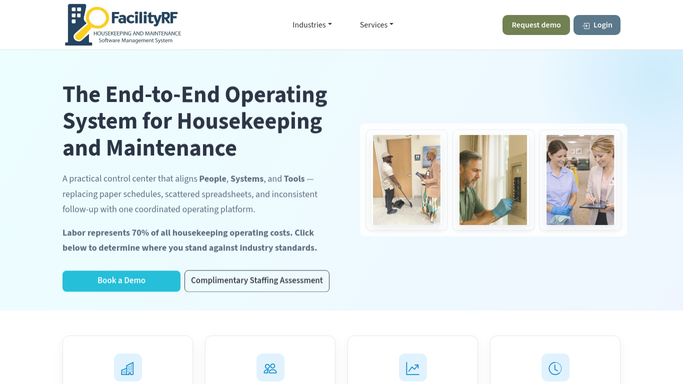
FacilityRF - find work orders past their SLA
facilityrf.com How to Automate FacilityRF

WebRun opens FacilityRF to find work orders past their SLA. - Open FacilityRF's work order queue and filter to requests still open past their SLA
- Note the room, request type, priority, assigned housekeeper, and hours overdue for each
- Skip any work order already reassigned in the past hour
Done when Every work order past its SLA is listed with its priority and hours overdue.
-
2
Microsoft Teams - post the overdue work order to the team
microsoft.com How to Automate Microsoft Teams
WebRun opens Microsoft Teams to post the overdue work order to the team. - Post each overdue work order to the EVS team channel with room, request type, and hours overdue
- Sort the post so the highest priority and longest overdue requests appear first
Done when The team channel shows every overdue work order sorted by priority.
-
3
Twilio - text the supervisor if it's still open
twilio.com How to Automate Twilio
WebRun opens Twilio to text the supervisor if it's still open. - Text the EVS supervisor directly for any work order still open more than double its SLA
Done when The supervisor has been texted about every work order that is significantly overdue.


How do I stop EVS work orders from sitting overdue?
Every hour, WebRun checks FacilityRF's work order queue for requests still open past their SLA, posts them to your EVS team channel in Microsoft Teams sorted by priority and hours overdue, and texts the supervisor directly through Twilio once a request is open more than double its SLA before it stalls further.
- Overdue work orders reach the team channel within the hour they cross SLA
- The supervisor is texted directly once a request is double its SLA
- Requests are always sorted by priority so the most urgent surface first
Built for EVS supervisors · environmental services managers · facilities coordinators · hospital operations teams
How is each run configured?
Secure by default
Connect once, stays signed in
WebRun signs in once and keeps each session in a persistent environment, so every run picks up right where it left off.
Every action is checked against this policy before it runs.
Questions, answered
What counts as an overdue work order?
Any request in FacilityRF's work order queue still open past the SLA you set for its priority level, checked fresh every hour so nothing sits overdue for more than an hour before it's flagged.
When does the supervisor get texted instead of just seeing the Teams post?
Once a work order is open more than double its SLA, the supervisor gets a direct text through Twilio in addition to the Teams post, so the most stalled requests get a second layer of attention.
Are patient facing work orders, like a spill in a hallway, treated differently?
The escalation logic is the same for every work order type. Priority and hours overdue drive the sort order, so a high priority spill request naturally surfaces above a routine, lower priority one.
Related templates
Put this on autopilot.
Turn it on in minutes - or have our team set it up for you.