File every receipt that arrives by email
Every night, WebRun opens Email.cz, finds the messages carrying receipts and invoices, reads the supplier, date, and amount from each attachment, files them into a Google Drive folder for the month with a consistent name, and logs what it found on a Trello card.
- No credit card
- Under $0.01 per run
- Cancel anytime
How do I automatically file email receipts into one folder each month?
WebRun files your email receipts every night. It opens Email.cz, finds the messages carrying receipts and invoices, reads the supplier, date, and amount from each, files them into a Google Drive folder for that month, and logs the run on a Trello card with the total.
- Every receipt lands in one monthly folder, named consistently
- The bookkeeper starts the month with nothing to hunt down
- Unreadable attachments are flagged instead of quietly lost
Built for bookkeepers · small business owners · accountants · freelancers
What does WebRun do on every run?
The exact actions WebRun takes, in order - in plain language, so you can adjust anything.
-
WebRun signs in and gets to work
Opens
email.czin a real browser with your saved login - no setup, no API keys. -
1
Email.cz - find receipts and invoices
email.cz
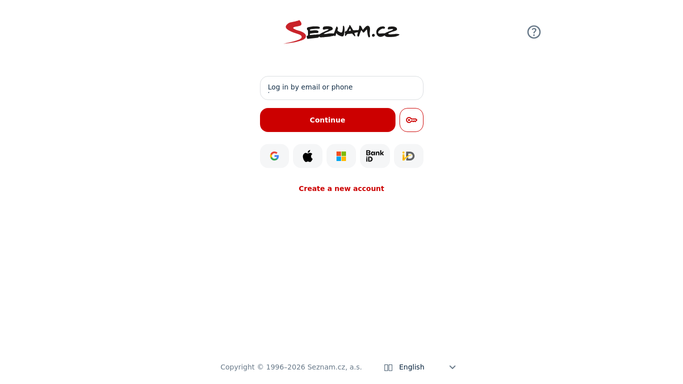
WebRun opens Email.cz to find receipts and invoices. - Open Email.cz and go through today's messages, including any folder your filters route receipts into
- Spot the messages carrying a receipt or invoice attachment
- Read the supplier, the date, and the amount from each attachment
- Move each handled message to your receipts folder so tomorrow's run skips it
Done when Every receipt that arrived today has been identified with its supplier, date, and amount.
-
2
Google Drive - file them by month
drive.google.com How to Automate Google Drive

WebRun opens Google Drive to file them by month. - Open or create the Google Drive folder for the current month
- File each receipt there named by supplier, date, and amount so it sorts cleanly
- Skip anything already filed so the folder never doubles up
Done when Every receipt found tonight sits in this month's Drive folder with a consistent name.
-
3
Trello - log what was filed
trello.com How to Automate Trello

WebRun opens Trello to log what was filed. - Add a Trello card for tonight's run listing every receipt filed with its supplier and amount
- Total the amount filed so the bookkeeper can reconcile at a glance
- Flag any message that looked like a receipt but had no readable attachment
Done when Tonight's filing run is logged on a Trello card with a total.
How is each run configured?
Secure by default
Connect once, stays signed in
WebRun signs in once and keeps each session in a persistent environment, so every run picks up right where it left off.
Every action is checked against this policy before it runs.
Questions, answered
Will it reply to or delete any email?
No. WebRun reads the messages and moves handled ones into your receipts folder. It never replies, forwards, or deletes anything, so nothing leaves your inbox.
What happens to a receipt it cannot read?
It is flagged on the Trello card with the sender and subject, so you can open that one by hand instead of it silently missing from the monthly folder.
Will the same receipt get filed twice?
No. Handled messages are moved to your receipts folder and already filed items are skipped, so each receipt lands in the month folder exactly once.
Related templates
Put this on autopilot.
Turn it on in minutes - or have our team set it up for you.