Publish an audio version of everything you write
Every morning, WebRun checks Airtable for articles marked ready, opens ElevenLabs, generates a narration in your chosen voice, records the audio link, the voice used, and the characters spent back in Airtable, and drafts you an email so nothing publishes without a listen.
- No credit card
- Under $0.01 per run
- Cancel anytime
How do I create an audio version of every article I publish?
WebRun narrates your new articles every morning. It reads the pieces marked ready, generates audio in ElevenLabs using your chosen voice, and files the link, duration, and character cost in Airtable under a review status. A drafted Gmail approval email lists the day's narrations, so audio versions stop being the thing nobody gets to.
- Every new article has a narration waiting the next morning
- Character spend is tracked against a monthly budget each run
- Nothing publishes without someone listening first
Built for content teams · bloggers · publishers · newsletter writers
What does WebRun do on every run?
The exact actions WebRun takes, in order - in plain language, so you can adjust anything.
-
WebRun signs in and gets to work
Opens
elevenlabs.io/appin a real browser with your saved login - no setup, no API keys. -
1
ElevenLabs - narrate each new article
elevenlabs.io
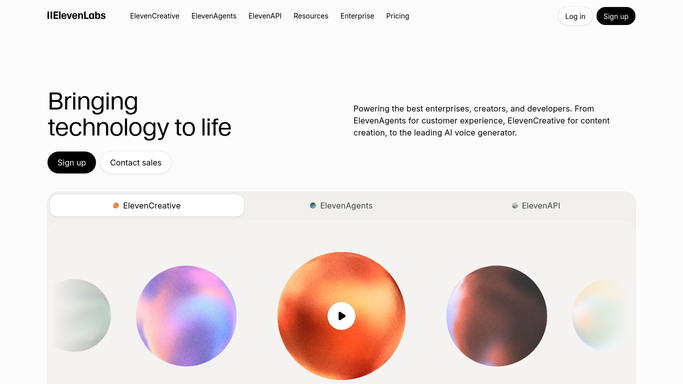
WebRun opens ElevenLabs to narrate each new article. - Read the articles marked ready for narration in your Airtable queue
- Open ElevenLabs and create a project for each article using the voice you selected
- Generate the audio and check the generation history shows it completed
- Note the characters used and stop if the run would exceed the limit you set
Done when Every article marked ready has generated audio in ElevenLabs.
-
2
Airtable - file the audio for review
airtable.com How to Automate Airtable

WebRun opens Airtable to file the audio for review. - Write the audio link, the voice used, the duration, and the characters spent back onto the article's row
- Move the row to a review status so it is clearly not published yet
- Keep a running total of characters used this month against your budget
- Flag any article that failed to generate with the reason
Done when Every narration is filed in Airtable with its details and a review status.
-
3
Gmail - draft the approval email
gmail.com How to Automate Gmail

WebRun opens Gmail to draft the approval email. - Draft an email listing the narrations produced today with their links and durations
- Include the characters spent and what remains of your monthly budget
- Leave the email in Drafts. WebRun never publishes audio and never emails your list
Done when An approval email listing today's narrations sits in Drafts.
How is each run configured?
Secure by default
Connect once, stays signed in
WebRun signs in once and keeps each session in a persistent environment, so every run picks up right where it left off.
Every action is checked against this policy before it runs.
Questions, answered
Will it publish the audio anywhere?
No. Every narration lands in Airtable with a review status and the approval email waits in your Gmail drafts. Publishing to your site or feed stays a human decision.
Can it burn through my character quota?
No. Set a per-run and a monthly character limit. WebRun checks usage before generating, stops when the limit would be crossed, and reports the remaining budget each morning.
Which voice does it use?
The voice you choose once in your Airtable settings row. WebRun uses it for every article, so narration stays consistent, and you can change it any time.
Related templates
Put this on autopilot.
Turn it on in minutes - or have our team set it up for you.