Draft maintenance contract renewals before they lapse
Every Monday, WebRun opens FIELDBOSS, finds maintenance contracts ending in the next ninety days, reads each customer's units and service history, drafts a personalized renewal email in Gmail, and posts your account manager a Slack list of renewals to review before they go out.
- No credit card
- Under $0.01 per run
- Cancel anytime
What does WebRun do on every run?
The exact actions WebRun takes, in order - in plain language, so you can adjust anything.
-
WebRun signs in and gets to work
Opens
www.fieldboss.comin a real browser with your saved login - no setup, no API keys. -
1
FIELDBOSS - find contracts nearing expiry
fieldboss.com How to Automate FIELDBOSS

WebRun opens FIELDBOSS to find contracts nearing expiry. - Open FIELDBOSS and list maintenance contracts ending within 90 days
- Read each customer's covered units, current terms, and recent service history
- Note the renewal date, contact, and any open callbacks on the account
Done when Every contract ending within 90 days is listed with its terms, units, and contact.
-
2
Gmail - draft renewal emails
gmail.com How to Automate Gmail
WebRun drafts each renewal email in Gmail, left unsent. - Draft a personalized renewal email per customer, referencing their units and service done
- Include the renewal date and a clear next step to confirm
- Leave every email as a draft for your account manager. Never send a renewal on its own
Done when A personalized renewal email is drafted for each expiring contract.
-
3
Slack - list renewals to review
slack.com How to Automate Slack
WebRun posts the account manager a renewals review list in Slack. - Post the account manager a list of contracts up for renewal with the draft link
- Flag high-value or at-risk accounts, such as those with open callbacks, first
- Leave each draft for the manager to review, edit, and send
Done when The account manager has a review list linking each renewal draft in Slack.
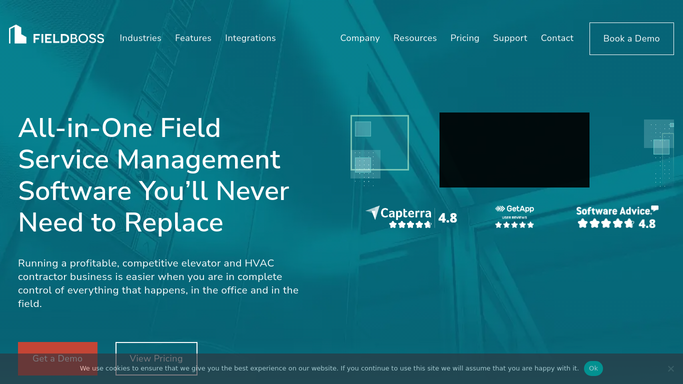


How do I renew elevator maintenance contracts before they expire?
Every Monday, WebRun finds FIELDBOSS maintenance contracts ending within 90 days, reads each customer's units and service history, and drafts a personalized renewal email in Gmail. It posts your account manager a Slack list flagging high-value and at-risk accounts first, so every renewal is teed up early and a person sends it after review.
- Renewals reach customers 90 days out, not after they lapse
- Each draft is personalized from live contract and service data
- At-risk accounts get worked first, protecting recurring revenue
Built for elevator service contractors · account managers · service sales · field-service teams
How is each run configured?
Secure by default
Connect once, stays signed in
WebRun signs in once and keeps each session in a persistent environment, so every run picks up right where it left off.
Every action is checked against this policy before it runs.
Questions, answered
Will it email customers a renewal without me?
No. WebRun drafts each renewal email in Gmail and leaves it unsent. Your account manager reviews, edits, and sends every one from Slack, so nothing reaches a customer until a person approves it.
How personalized is each draft?
Each draft references that customer's covered units, current terms, and recent service history from FIELDBOSS, so it reads like your account manager wrote it, not a generic mailshot.
Which renewals get attention first?
It flags high-value contracts and at-risk accounts, such as those with open callbacks, at the top of the Slack list, so your manager works the renewals that matter most before the rest.
Related templates
Put this on autopilot.
Turn it on in minutes - or have our team set it up for you.