Never miss an IEP or 504 deadline again
Every morning, WebRun opens Frontline Special Programs, finds IEP and 504 deadlines coming due, annual reviews, reevaluations, and meetings, adds them to a shared Google Calendar, and posts your special-education team an internal Slack list of what is due and what is at risk.
- No credit card
- Under $0.01 per run
- Cancel anytime
What does WebRun do on every run?
The exact actions WebRun takes, in order - in plain language, so you can adjust anything.
-
WebRun signs in and gets to work
Opens
www.frontlineeducation.com/special-programs/special-ed-software/iep-managementin a real browser with your saved login - no setup, no API keys. -
1
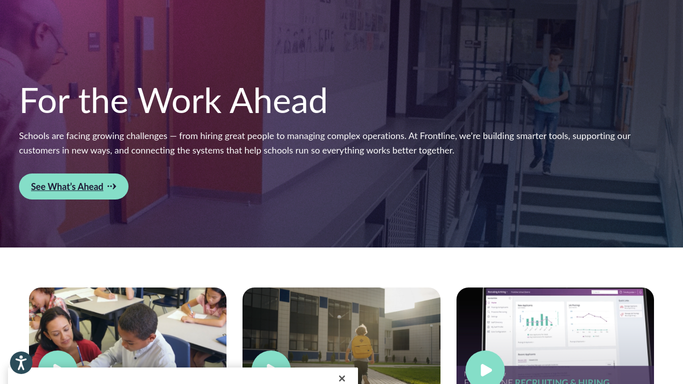
Frontline Education - find compliance deadlines
frontlineeducation.com

WebRun reviews the IEP and 504 compliance dashboard in Frontline. - Open Frontline Special Programs and review the compliance dashboard
- Find upcoming annual reviews, triennial reevaluations, and required meetings
- Capture each student case, the deadline type, and the date due
Done when Every IEP and 504 deadline coming due has been captured with its date and type.
-
2
Google Calendar - schedule the due dates
google.com How to Automate Google Calendar
WebRun adds each compliance deadline to the shared calendar. - Add each upcoming deadline to the shared special-education calendar
- Title each entry with the deadline type and the case manager responsible
- Set a lead-time reminder so prep starts before the due date
Done when Every upcoming deadline has a dated entry on the shared calendar with a lead-time reminder.
-
3
Slack - post what is due
slack.com How to Automate Slack
WebRun posts the IEP and 504 deadline list to your team in Slack. - Post an internal list of IEP and 504 deadlines due this week
- Flag anything within a few days or already at risk of slipping
- Leave it for case managers to schedule meetings and complete the forms
Done when Your special-education team has this week's deadline list in Slack.


How do I track IEP and 504 compliance deadlines automatically?
Every morning, WebRun opens Frontline Special Programs, finds IEP and 504 deadlines coming due, annual reviews, reevaluations, and meetings, and adds each to a shared Google Calendar. It then posts your special-education team an internal Slack list of what is due this week and what is at risk, so no compliance deadline slips.
- Compliance deadlines surface with lead time, not at the wire
- Each due date lands on a shared calendar with the case manager
- At-risk deadlines are flagged before they lapse
Built for special education coordinators · case managers · school administrators · 504 coordinators
How is each run configured?
Secure by default
Connect once, stays signed in
WebRun signs in once and keeps each session in a persistent environment, so every run picks up right where it left off.
Every action is checked against this policy before it runs.
Questions, answered
Will it notify families or sign any forms on its own?
No. This is an internal reminder for your special-education team. WebRun reads deadlines and posts a Slack list and calendar entries. Scheduling meetings, contacting families, and completing or signing IEP and 504 forms stay with your case managers in Frontline.
Which deadlines does it track?
WebRun reads the Frontline Special Programs compliance dashboard and surfaces upcoming annual IEP reviews, triennial reevaluations, and required 504 and IEP meetings, with the date due and the case manager for each, so nothing lapses unnoticed.
Does it change anything inside Frontline?
No. WebRun only reads the compliance dashboard. It never edits a plan, marks a meeting complete, or alters a deadline. The record stays exactly as your team left it inside Frontline.
Related templates
Put this on autopilot.
Turn it on in minutes - or have our team set it up for you.