Follow up with new course enrolments
Every few minutes, WebRun checks Teachable for new enrolments, drafts a warm welcome email in Gmail for each new student, and appends their details to your enrolment spreadsheet for your records.
- No credit card
- Under $0.01 per run
- Cancel anytime
What does WebRun do on every run?
The exact actions WebRun takes, in order - in plain language, so you can adjust anything.
-
WebRun signs in and gets to work
Opens
teachable.comin a real browser with your saved login - no setup, no API keys. -
1
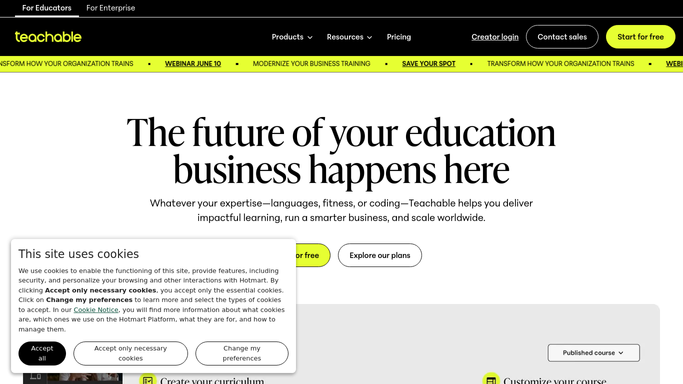
Teachable - detect new enrolments
teachable.com

WebRun opens Teachable to detect new enrolments. - Open Teachable and go to Students, sorted by Enrolled Date descending
- Identify enrolments that have arrived since the last run
- Capture each student's name, email, course name, and enrolment timestamp
Done when All new enrolments since the last run are captured with full student details.
-
2
Gmail - draft welcome email for each student
gmail.com How to Automate Gmail
WebRun opens Gmail to draft welcome email for each student. - Draft a warm, personalised welcome email for each new student
- Include the course name, a getting-started tip, and your contact details
- Save as Draft - do not send until you have reviewed the message
Done when A welcome draft is ready in Gmail for every new enrolment, pending your approval.
-
3
Google Sheets - log enrolment details
google.com How to Automate Google Sheets
WebRun opens Google Sheets to log enrolment details. - Open your enrolment tracking spreadsheet
- Append a new row for each new student with name, email, course, and date
- Check for duplicates by student email to avoid double-logging
Done when Every new enrolment is a row in the spreadsheet with no duplicates.


How can I automatically follow up with new course enrolments?
WebRun checks Teachable for new enrolments every few minutes, drafts a personalised welcome email in Gmail for each new student, and logs the sign-up in a Google Sheet - so every learner is acknowledged quickly and your enrolment records stay current without manual effort.
- Every new student receives a welcome email within minutes of enrolling
- Enrolment records stay up to date in Google Sheets automatically
- No new learner slips through without acknowledgement
Built for online course creators · e-learning businesses · training providers · education entrepreneurs
How is each run configured?
Secure by default
Connect once, stays signed in
WebRun signs in once and keeps each session in a persistent environment, so every run picks up right where it left off.
Every action is checked against this policy before it runs.
Questions, answered
Will it send the welcome email on its own?
No. Every welcome message is saved as a Gmail Draft so you can personalise it further before hitting Send. Nothing goes to a student without your approval.
What if the same student enrols twice?
It checks the spreadsheet for the student's email address before logging. Returning students are noted but a new draft is only created for first-time enrolments.
Can it handle multiple courses at once?
Yes. It monitors all active courses on your Teachable school and handles enrolments across all of them in every run.
Related templates
Put this on autopilot.
Turn it on in minutes - or have our team set it up for you.