Automatic Delivery Tracking From Email
Every morning, WebRun opens Edison Mail, reads the shipping confirmations and tracking notices that arrived, pulls out the sender, tracking number, and expected delivery date, posts a single in transit list to Slack, and opens a Trello card for every parcel past its promised date.
How do I turn shipping emails into one list of what is arriving and when?
WebRun reads the dispatch and tracking emails in Edison Mail every morning and pulls out the sender, item, tracking number, carrier, and expected delivery date. It posts one in transit list to Slack sorted by arrival date and opens a Trello card for every parcel past its promised date, closing cards as deliveries confirm.
- Every parcel in transit sits on one dated list each morning
- Late supplier orders are chased before the stock is needed
- Delivered parcels close themselves out of the list
Built for office managers · operations teams · ecommerce sellers · retail stores · small business owners
What does WebRun do on every run?
The exact actions WebRun takes, in order - in plain language, so you can adjust anything.
-
WebRun signs in and gets to work
Opens
www.edisonmail.comin a real browser with your saved login - no setup, no API keys. -
1
Edison Mail - read the shipping and tracking emails
edisonmail.com
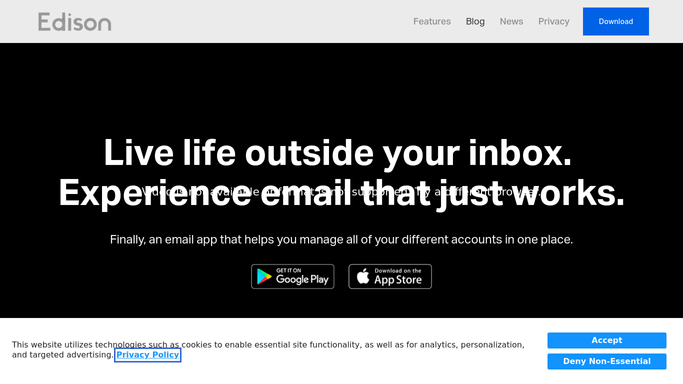
WebRun opens Edison Mail to read the shipping and tracking emails. - Open Edison Mail and find the dispatch and tracking notices received since the last run
- For each one, capture the sender, what was ordered, the tracking number, and the carrier
- Record the expected delivery date, and the current status where the email states one
- Match a delivered confirmation to the earlier dispatch email so the parcel closes out
- Read only. WebRun never replies to a sender, archives, or deletes a message
Done when Every new shipping email has been turned into a parcel record with a date.
-
2
Slack - post what is arriving and when
slack.com

WebRun opens Slack to post what is arriving and when. - Post a single in transit list to your operations channel, soonest arrival first
- Show the sender, the item, the tracking number, and the expected date on one line each
- Separate what is arriving today from what is still on its way
- Mark anything delivered since yesterday so the list stays honest
Done when The team has this morning's in transit list in Slack.
-
3
Trello - open a card for anything late
trello.com

WebRun opens Trello to open a card for anything late. - Add a card to your operations board for every parcel past its expected date
- Title it with the sender and the item, and put the tracking number in the description
- Set the due date to the promised delivery date so the oldest overdue parcel sits at the top
- Close the card when a delivery confirmation for that tracking number arrives
Done when Every late parcel has an open Trello card and delivered ones are closed.
How is each run configured?
Secure by default
Connect once, stays signed in
WebRun signs in once and keeps each session in a persistent environment, so every run picks up right where it left off.
Every action is checked against this policy before it runs.
Questions, answered
Will it reply to suppliers or chase them by email?
No. WebRun reads the mailbox and never sends, replies, archives, or deletes. A late parcel becomes a Trello card, and a person decides whether to chase the supplier.
Does it read my personal email?
It only opens messages that look like dispatch or tracking notices, and it records the sender, item, tracking number, and date. Message bodies are not copied into Slack or Trello.
How is this different from logging receipts as expenses?
A receipt log is about money already spent. This is about goods still moving: what left a warehouse, which carrier has it, and when it is due, so a late order is chased before someone needs the stock.
Related templates
Put this on autopilot.
Turn it on in minutes - or have our team set it up for you.